How Junk Store Pro is put together
On this page
Junk Store Pro aims to bring the PC part of PC gaming into the console experience, on console terms. A Deck is a PC, but Game Mode hides that: no files, no settings you can reach, no way to fix a game that misbehaves without a keyboard and a desktop. Junk Store Pro gives those back without asking you to leave the couch.
It isn’t finished, and it’s meant to keep growing. Some of what a PC gives you is here now, some isn’t yet, and the gap closes over time. What follows describes what exists today.
Most of the time you won’t notice any of it. Junk Store Pro looks like a launcher: install a game, press play, done. Most people use it that way and never need anything else, and that’s the intended experience rather than a limitation of it.
Underneath, it’s built in layers. Each one is there for when the one above it runs out, and you only meet a layer when you go looking for it.
If something seems impossible, it’s because you haven’t been shown the layer underneath.
That’s what this page is for. You don’t have to read the rest of the document, but knowing the layers are there is most of the battle.
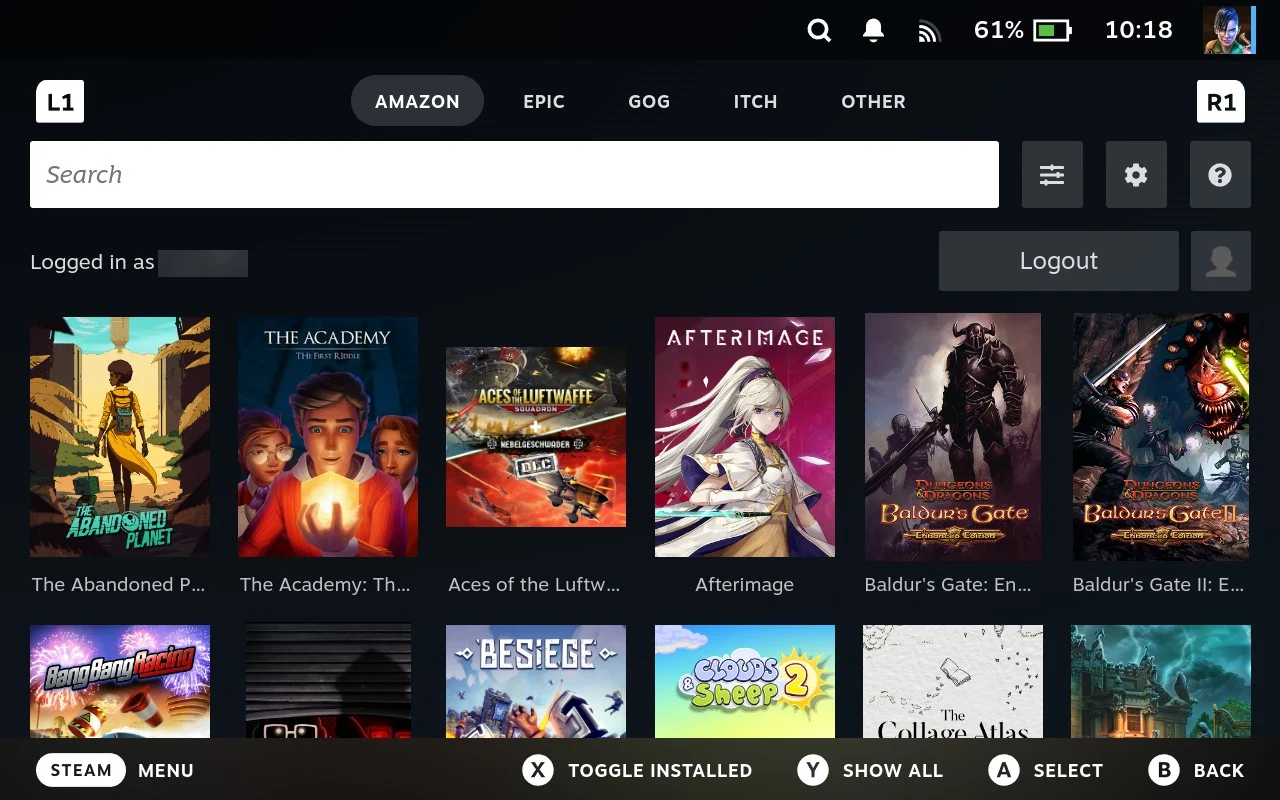
It’s a platform, not a launcher
Worth saying plainly, because it explains everything else on this page: Junk Store Pro isn’t a launcher for Epic and GOG that might one day support other stores. It’s a thing that becomes a launcher when you describe one to it.
Epic and GOG aren’t built in. They’re descriptions, a folder of scripts and a configuration file, read by machinery that has no idea what Epic is. The same machinery reads the descriptions for a folder of DOS games, an emulator’s library, or a machine on your network. Nothing in Junk Store Pro is specialised to any of them.
So in principle it’s already every launcher; the definitions just haven’t been written yet. The tabs you have are the ones somebody got round to.
In practice, some are far more work than others. Writing a definition is easy when the store has a usable command line tool. It’s a great deal harder when it doesn’t, and someone has to work out how the official client talks to the service before anything can be described at all. That part isn’t a configuration exercise, and it’s why the list of stores grows slowly rather than all at once.
None of that changes as far as you’re concerned, though: once a definition exists, its store behaves like any other tab, and everything in this document applies to it.
You don’t need our permission
Junk Store Pro ships with definitions for a handful of stores. That list isn’t a boundary.
There’s no approval step, no submission process and no register of blessed stores. An extension is a folder on your Deck. Write your own, or use one whose author has made it available, drop it in place, and it’s a tab, without asking anyone, and whether or not we’ve heard of the store, agree with it, or have ever tested it.
That means nobody has to wait for us. If a store you care about isn’t supported and you’re willing to do the work, or you know someone who is, the route is open. It doesn’t depend on us prioritising it, and it doesn’t stop working if we never do.
It also means the shipped extensions aren’t privileged. They’re read by the same machinery as anything you write, with no capability reserved for them. Which is worth knowing mainly because it tells you what an extension of your own can be: exactly as capable as Epic or GOG, because those are just definitions too.
That’s permission to build, not permission to copy. The extensions Junk Store Pro ships with are source available, not open source. They’re on your machine, so read them, run them, change your own copy, none of that is in question. What you can’t do is redistribute them or publish something built out of their code.
The line is authorship. An extension you wrote is yours to share however you like. One containing scripts lifted from a shipped extension isn’t, however much you changed around them. Templates the Generator wrote for you are fine.
If you’re publishing an extension, write it. The extension documentation covers what’s needed, and the Generator does much of the tedious part. The full terms, including what to do if you want to contribute a fix to a shipped extension, are in Sharing and licensing.
Yours doesn’t have to be as thorough as ours. Most of the work in a shipped extension isn’t the part that fetches and launches games, it’s the edge cases. Accounts behaving oddly, half-finished downloads, machines set up in unusual ways, every store quirk we’ve been told about over the years. It has to hold up for thousands of people whose situations we can’t see.
You only have to handle your own. An extension that works for the games you own, on your Deck, with the setup you actually have, is a much smaller job, and it’s a perfectly good extension. You get to decide what’s not worth handling, which is a freedom we don’t have.
So don’t be put off by how much is in the shipped ones. That’s the cost of shipping to strangers, not the cost of entry.
It does what you tell it
The reason all of that works is that Junk Store Pro doesn’t second-guess what it’s given. It doesn’t check whether a store is one it approves of, whether a script is doing something sensible, or whether a value you typed is one it would have chosen. It reads the definition and carries it out.
That’s what makes the whole thing composable. Machinery that asked “is this allowed?” at every step would need to know about every case in advance, which is exactly the design this one avoids.
The other half of that is real. Nothing is stopping you from breaking something. A path typed wrong is stored as readily as a right one; a value that ruins a game saves without complaint; a script does whatever it says. There’s no supervisor, because a supervisor would have to be opinionated about things nobody has thought of yet.
So the ordinary caution applies, and it’s worth stating once rather than repeating on every page:
- An extension you didn’t write is code you’re choosing to trust. It runs with the reach you have, the same as anything else you install. That judgement is yours to make.
- Changes are reversible, mostly. Settings reset, configurations regenerate, records refetch. The document says where that isn’t true, deleting artwork you supplied yourself, or uninstalling a game with saves in its folder.
- When something breaks right after you changed something, the change is the suspect. Nothing else quietly altered course in the meantime.
None of that is a warning against using it. It’s the price of a tool that will do what you ask instead of what it assumed you’d want.
What it’s trying to be
Most software of this kind is on rails. It decides how you should work, makes that one path smooth, and everything off it is a wall, you wait for whoever wrote it to support what you wanted, or you go without. That’s a reasonable way to build something, and it’s why those tools are easy to pick up.
Junk Store Pro was built as the antidote to that. It tries to hand you tools rather than a procedure, on the assumption that you’ll want to do something nobody anticipated. Not every combination has been tried, or even thought of, that’s rather the point. If you can see how two things fit together, they generally do.
That’s why the File Manager can edit your Steam library, why anything with a Steam entry gets the whole toolchain whether a store put it there or you did, and why a program you copy into a game’s folder runs inside that game’s own Windows environment. None of those are special cases. They’re ordinary tools that happen to combine.
It has teeth, and that’s the bargain. A tool that will do what you ask will also do what you ask when you’re wrong. You can point a shortcut at the wrong program, set a locale that breaks a game, or run a script that does something silly, and nothing will stop you. That isn’t carelessness in the design; it’s what the freedom costs. Somewhere to fall is the same thing as somewhere to go.
There are painted lanes, but no fences. The defaults are lanes: follow them and you’ll get where you’re going without thinking about it, and you can cross them whenever you have a reason. Where things get sharp there’s boundary tape instead, a warning or a confirmation saying you’re leaving the marked part.
Nothing here is a fence. A fence decides for you. Everything in Junk Store Pro is markings you can step over, because the alternative is a tool that refuses things nobody thought to allow. Some of the ground beyond isn’t marked at all, which usually means nobody has walked it yet rather than that you shouldn’t.
So it’s as precise as you are. The same tools are a blunt instrument or a scalpel depending on the care taken with them. Change one setting at a time and you’ll know what did what; change six and hope, and you won’t. Nothing here rewards guessing, and nothing here punishes patience.
It is opinionated, and it’s worth being precise about what kind. Settings go in one shape, extensions are laid out one way, sections name what they hand to programs. Those conventions exist because they work, they’re what lets pieces fit together that nobody planned to pair, not because anyone thought they looked tidy.
Function over form, throughout. Where something is plain, or a label reads oddly, or a screen shows more than it strictly needs to, that’s the cost of it doing the job properly rather than a decision about appearance. The polish gets attention when it can, but it doesn’t get to dictate how the thing works.
The practical upshot: a bit of lateral thinking goes a long way here. When something seems impossible, it’s usually a matter of which two tools to point at each other, rather than a feature that needs writing.
It doesn’t hide how things work
Your Deck runs Linux, and Junk Store Pro doesn’t pretend otherwise. Settings become environment variables, launchers are shell scripts, games live in folders you can browse, and logs are text files you can read. That’s how a Linux system does these things, and it shows through rather than being papered over.
That can be jarring at first. A setting called HOST_LC_ALL, or a value that needs export in front of it, doesn’t look like a normal game launcher. Most software would hide that behind a friendlier control, and something would be lost when it did.
It’s deliberate, and it pays you back. What you learn here is not Junk Store Pro trivia. It’s how Linux works, and it applies everywhere else on the Deck and on any Linux machine you touch afterwards. An interface that invented its own vocabulary for all of this would teach you nothing portable, you’d learn Junk Store Pro instead of learning your computer.
You don’t have to start there. The defaults are chosen to work without any of this, and most people never look. But when you do want to change something, you’re looking at the real mechanism rather than a simplified picture of one, and what you work out stays useful.
That’s the trade this whole document reflects: a little more to take in, in exchange for knowing what’s actually happening.
Where the rough edges come from
Junk Store Pro was built as a tool for people comfortable with this sort of thing. It wasn’t designed for a general audience, because it wasn’t expected to have one.
Then it did. Plenty of people arrived who wanted to play their games and had no interest in environment variables, and the interface has been catching up ever since. That’s why parts of it are smoother than others: the newer, friendlier surfaces sit on top of machinery written when the only user was someone who already knew how it worked.
Both halves are staying. The polish will keep improving, and the defaults will keep getting better at meaning you never have to look underneath. But the underneath isn’t going away, and it isn’t going to be locked off. Taking the power out to make the surface tidier would remove the reason the thing exists.
So expect a mixture: mostly a launcher that gets out of your way, occasionally a setting that plainly wasn’t written with newcomers in mind. Where you meet the second kind, this document is the translation.
The layers
Layer 1: it just works. Open a tab, press Install, press Play. Games come down with sensible defaults, land in your Steam library, and launch from there. For most games and most people this is the whole product.
Layer 2: a setting. A game wants a frame cap, or a different language, or you’d rather install to the SD card. There’s a control for it, on the game’s cog or the store’s, and the visibility dropdown keeps the rest out of your way until you want it.
Layer 3: the tools. Something the settings don’t cover: artwork that’s wrong, a game launching the wrong program, a missing runtime, files to move between machines. The File Manager, Run Exe and the Steam submenu handle these, from the controller, without leaving Game Mode.
Layer 4: do it yourself. No store covers your game. Make the Steam entry by hand and use the same tools on it. See Setting a game up by hand. Nothing needs to support your game in advance.
Layer 5: teach it something new. A whole source of games nobody has written for yet. Extensions are directories of scripts, and the Generator writes most of one for you. That’s the extension documentation, and it’s where the tabs you already use came from, Epic and GOG are extensions like any other.
Most people live on layer 1 and visit layer 2 occasionally. The point isn’t that you should go deeper. It’s that the floor doesn’t fall out when you need to.
The layers are load-bearing, not decorative. Frame generation support, the LSFG settings, was added without writing any code at all, just by describing the settings in a configuration file. Layer 5 is how Junk Store Pro itself gets extended, not only how you’d extend it.
Two buttons worth recognising
Junk Store Pro uses the same two icons throughout, and they always mean the same thing. Once you know which is which, most screens explain themselves.

| Icon | Means | Holds |
|---|---|---|
| Cog ⚙ | Settings | Things that stay as you set them: what a game runs under, where it installs, its details and artwork |
| Sliders | Actions | Things that happen when you choose them: refresh, log in, verify, uninstall |
Cog is state, sliders are verbs. A cog opens a screen you edit and save. A slider menu runs something and finishes.
You’ll see both side by side in several places, and they’re doing genuinely different jobs:
| Where | Sliders | Cog |
|---|---|---|
| Above a store’s grid | That store’s actions: refresh its games, clear its cache | That store’s settings |
| On a game’s page | That game’s actions: verify, repair, uninstall, Proton Tricks | That game’s settings |
A button may be greyed out or missing, and either way it’s telling you there’s nothing behind it rather than something being wrong. On a store’s grid, the sliders grey out when that store offers no actions. On a game’s page, the cog isn’t shown at all when there’s nothing to configure for that game.
There’s one small exception: a cog on an individual field in a settings screen changes what kind of value that field takes. Still a setting rather than an action, so the rule holds.
A path forward, not a wall
The design rule behind all of this: when something doesn’t work, there should be another way to try. Not a message telling you it can’t be done.
Some of the paths that already exist:
| When | Rather than a wall |
|---|---|
| The artwork is wrong or missing | Fetch alternatives with SteamGridDB, or set your own picture from a file |
| Steam’s own settings won’t work in Game Mode | The Steam submenu edits the shortcut live, from the controller |
| The game launches the wrong program | Run Exe picks from a shortlist, and can make the choice stick |
| A game needs a runtime nobody offers | Copy the installer in and run it inside that game’s environment |
| A dropdown doesn’t offer what you need | Y on any field types the value directly |
| Your Deck’s settings have got into a state | Reset a field, reset the screen, regenerate the extension, or delete the config and start over |
| The store’s copy of a game’s details is wrong | Delete it and refresh to fetch it again |
| A download would take all day | Copy the game from another Deck on your network instead |
| You can’t read a file on the device | Seven viewers: text, images, PDF, markdown, audio and video, SQLite databases, and raw hex |
| The file you want is inside a zip | Unfold the archive and read the file where it sits, without unpacking it |
| The game’s log is on the Deck and you’re not | Reach it over SSH, or send it to support from the File Manager |
| No store sells what you want to play | Make the entry yourself, or write an extension |
None of these are hidden. They’re just further down than the first screen, which is why this document is longer than a launcher’s manual has any right to be.
And when you do get stuck: if something seems impossible, it’s because you haven’t been shown the layer underneath.