Introduction
On this page
This guide is written for people building extensions, so it uses the vocabulary that goes with that. If a word is unfamiliar, the glossary explains the terms in plain language.
What an extension is
An extension teaches Junk Store Pro about a place your games come from.
That place can be a storefront you bought games from, an emulator with a folder of ROMs, a directory of DOS games, or a machine on your network holding an archive. Each one becomes a tab in the interface, with its own games, its own artwork, and its own install and launch behaviour.
Everything you already see in Junk Store Pro is an extension. The Epic, GOG, Amazon, and Itch tabs are not special cases wired into the product; they are built from the same parts this guide describes, using the same hooks and the same configuration format available to you. There is no privileged internal path that the shipped extensions use and yours cannot.
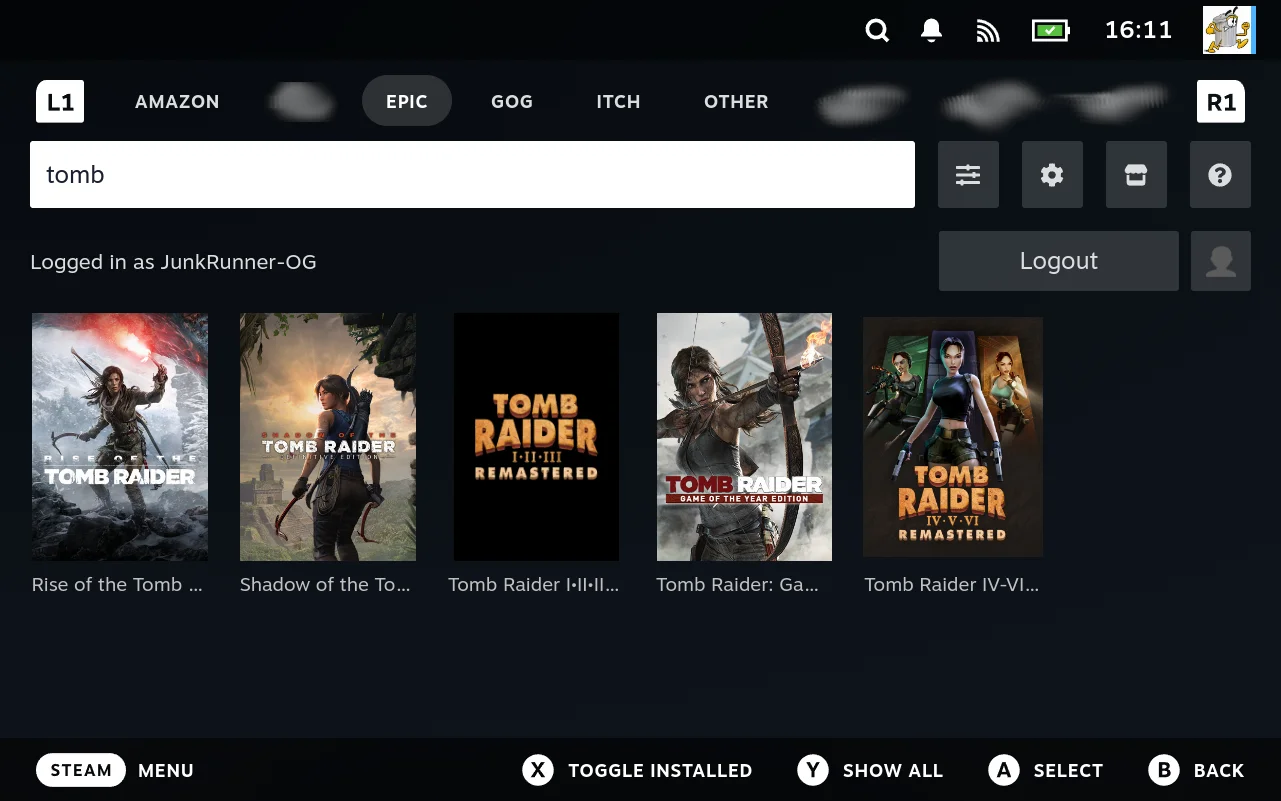
This goes further than the storefronts. The Generator is an extension. So is the download queue, and so is the Other tab that collects shortcuts added from the file manager. They are not a framework the stores are plugged into; they are peers of the stores, defined the same way and dispatched by the same code, which resolves a name to a class and falls back to a generic store when it does not recognise one.
That has a practical consequence. Tools that appear to be part of the product are reachable, configurable and inspectable through the machinery in this guide, because there is no separate machinery for them to use. The Generator has a config screen because it registers the same verb a store does, and the download queue declares its table with the same macro. When the troubleshooting guide opens generator.db in the file manager’s database viewer, it is reading an extension’s own storage like any other.
That is the single most useful thing to understand before reading further. When this guide says a shipped extension does something, it is showing you a worked example rather than describing a feature you do not have.
What people build with it
An extension is anything that produces a list of things you can install, launch or act on. “Games from a storefront” is the obvious case and the one the shipped extensions cover, but the contract does not know what a game is. It asks for identifiers, hands you a path, and runs what you print.
That leaves a lot of room. Ideas that fit the existing contracts without stretching them:
| Idea | What makes it fit |
|---|---|
| A storefront the shipped set does not cover | getlisting and downloader, the ordinary case |
| Flatpak games | The listing is flatpak list, install is flatpak install |
| A ROM collection on a NAS | rsync with no code at all, or script if the layout is unusual |
| Proton or runtime downloader | The “games” are runtime versions; install fetches and unpacks one |
| A front end for another tool’s library | Read that tool’s own database or config, list what it knows about |
| Your own generator | Extensions are records; something else can produce those records |
The last one is worth drawing out, because it is the least obvious. The Generator is an extension, its data lives in a database like any other, and preset files are just JSON. So a tool that produces extension definitions is a legitimate thing to build. It does not need to be inside Junk Store Pro, and it does not need permission from the Generator.
Not everything has to look like a grid
A tab can render as a grid of artwork or as a list. Both take the same content, so the only difference is which one an extension asks for. The Generator itself is a list, which is why it looks unlike the store tabs while being the same kind of thing.
That matters for the ideas above. A Proton downloader as a wall of box art would be absurd; as a list of versions it is obvious. Anything whose items are not games usually wants a list.
You choose it by rewriting one field. The interface reads Type from the JSON your games action prints, so an override that intercepts that action and changes GameGrid to GameList gets you a list. There is no setting to find and nothing to ask for:
eval "original_MyStore_getgames() $(declare -f MyStore_getgames | tail -n +2)"

function MyStore_getgames() {
    original_MyStore_getgames "$@" | jq -c '.Type = "GameList"'
}
Type sits at the top level of the response, beside Content, so that one assignment is the whole change. Use a JSON tool rather than a text substitution: a game called “GameGrid Something” would be enough to make sed rewrite the wrong thing.
Or put it in the extension itself. An override is your copy on your device. The same filter in the commandmap’s script field for that action becomes part of the definition, so generation writes it into store.sh, it survives regeneration, and it travels with the extension when you share it:
"${HOME}/.local/share/junkstore/junk-store" MyStore getgames "${1}" | jq -c '.Type = "GameList"'
Setting script replaces the generated body rather than adding to it, which is why the call is spelled out. See commandmap: defining actions.
Two routes to the same result, and the choice is about who the change is for. An override is yours; the commandmap field is the extension’s.
That example is worth pausing on, because it is the whole design in four lines. A rendering decision that would be a settings screen in most products is one field in a stream you already control, and the mechanism that lets you change it is the same one that lets you change anything else. Nobody built a tab type option. It falls out of an action printing JSON and an override being sourced last. See Overriding actions.
What does not fit
Being honest about the edges saves time:
- A tab that is not a list of items. The tab types are grid and list. Something that wants a dashboard, a chart, or a form as its main view has nowhere to put it.
- Adding interface elsewhere in Steam. An extension contributes its own tab and menu entries. It cannot place things into Steam’s own screens.
- Anything needing a hook that does not exist. The custom script names are a fixed set. See Where the closed part is.
What this guide is for
It documents the whole surface: what an extension is made of, which scripts get called and when, what they receive and what they must print, how configuration is declared and layered, and how a game gets launched.
It is written for people building extensions, not for people working on Junk Store Pro itself. Everything described here is a documented contract you code against, and nothing in it requires a compiler, a source checkout, or development tools: the scripts are shell and Python, and the configuration is a form you fill in.
That makes the audience developers first, in the sense that the material is contracts and protocols rather than a tour of the interface. It does not make it closed to anyone else. Plenty of it is usable without writing code at all, and a curious user will find that the guide explains what Junk Store Pro is doing on their behalf. It simply does not slow down to teach shell scripting.
Where the closed part is, and why it does not get in your way
Junk Store Pro’s core is a compiled binary and is not distributed as source. That is worth stating plainly, because you will see junk-store invoked throughout this guide and should know what it is.
What matters for extension work is where the boundary sits. You never call into the core; you satisfy contracts it calls out to. Your scripts are handed arguments and an environment, and they print output in a documented shape. Everything on your side of that line is open to you:
Open to you:
- Every script in every shipped extension, on your device, in plain text
- The contracts themselves: arguments, stdin, stdout, and what each must print
- The config schema, and every value resolved against it
- The generated
store.sh,launcher.shand launcher scriptlets - The databases, readable in the file manager’s own viewer
Closed: the core binary’s implementation.
So the parts you would need to read in order to build something are readable, and the part you cannot read is the part you never have to touch. That is a deliberate boundary rather than a happy accident: the contracts are documented precisely so that the implementation behind them does not need to be.
The limitation is real, though, and worth knowing before you hit it. If a contract does not expose something, you cannot reach past it. You can print a key the downloader protocol does not define and nothing will happen; you cannot add a new custom script name and have Junk Store Pro call it. Where this guide says something is a fixed set, that is a genuine boundary and not an invitation to work around it. The honest answer in those cases is to ask for the contract to be widened, which has happened before. See The system is still growing.
Why it works this way
A few design decisions shape everything else, and knowing them makes the rest predictable.
Extensions are shell scripts, not plugins. There is no API to compile against and no build step. An extension is a directory of scripts with known names, and Junk Store Pro calls them at known moments. This has a cost, in that a script gets less help than a typed plugin would, and a large benefit: anyone who can write a shell script can extend the product, and you can inspect and change anything on your own machine with a text editor.
That was a choice, and the alternative was the conventional one. A typed plugin interface would give you compile time checking, an editor that knows the API, and errors caught before anything runs. It would also mean shipping an SDK, versioning an interface, and asking anyone who wants a new storefront to set up a toolchain and rebuild whenever the interface moves.
The trade, stated honestly:
| A scripting interface gives you | A plugin contract would have given you |
|---|---|
| No toolchain, no SDK, no build step | Compile time checking of your calls |
| Edit a file, run it, see the result | Editor completion and inline documentation |
| Any language that can print to stdout | A stable typed surface to code against |
| Every shipped extension readable as an example | Errors caught before anything runs |
| Nothing to keep in sync when the product updates | Refactoring tools that understand your code |
The right hand column is what you do not get by default. A misspelled key is silently ignored rather than refused, output in the wrong shape fails at run time rather than compile time, and nothing tells you a contract exists until you read about it. The diagnostics framework and the log files exist partly to soften that; they do not remove it.
None of it is withheld, though. Junk Store Pro only sees arguments going in and lines coming out, so what produces those lines is entirely your business. A Rust binary, a Go program, a TypeScript tool compiled to something runnable: if it prints the right shape, it is an extension. That means the typed surface in the right hand column is not missing so much as unwritten. Somebody could build a library in a language of their choice that models the contracts, checks them at compile time, and emits the protocol, and Junk Store Pro would neither know nor care.
The reason that is not in the box is that it would have to exist for one language, and choosing which one is exactly the decision this design avoids. Leaving it open means anyone who wants stronger guarantees can build them for the language they already use, without waiting for the product to bless it.
The left hand column is why it is worth it here. The people most likely to want a new store are not necessarily programmers, and the distance between wanting one and having one is a text editor rather than a development environment. A contract that is just “arguments in, lines out” also survives being called from Python, or a compiled binary, or a script that shells out to something else entirely, because nothing in it is language specific.
The core and the extension surface are separate decisions. Junk Store’s own backend began in Python and was later rewritten in something else. That is a decision about the core’s own development, and the extension surface did not follow it. Extensions stayed at the lowest common denominator, shell and Python, because the point of them is that other people can write them.
That is worth noticing because the easier path was the other one. Extensions in whatever the core happens to be written in would have meant one toolchain, one set of idioms, and no bridging between them. It would also have limited authorship to people willing to learn that language in order to add one storefront. Keeping the surface at shell and Python costs the project some elegance and buys a much larger set of people who can contribute.
So the scripting interface is not a consequence of the implementation, and does not change when the implementation does. It is a deliberately low bar, held there on purpose.
It is worth saying plainly that this is a preference and not a law. The system is built the way it is on purpose: light, inspectable, and immediately editable on the device. If you would rather work with stronger guarantees than a text file gives you, nothing here stops you; the contracts are the floor, not the ceiling, and what you build on top of them is your choice.
Convention rather than registration. Nothing declares an extension to the system. It is found because it is in the right directory, contains a store.sh, and that file adds its name to a list. Actions are found because they are functions named <Store>_<action>. There is no manifest to keep in sync, and no install step to get wrong.
Generation from a definition. You do not usually write store.sh by hand. You describe what actions exist and what each one does, and Junk Store Pro generates the script. This is why editing a generated file does not last, and why regenerating is a step you have to remember; it is also what lets the interface understand an extension well enough to render it.
Configuration is data, and layers. Every setting is stored, resolved, and handed to your scripts as environment variables. A value can be set for a whole store or one game, for a particular emulator or a particular version of it, and the most specific one applies. Most customisation is therefore a settings change rather than a code change, which is why the shipped extensions’ scripts are shorter than you might expect.
Escape hatches at every level. Where a control does not offer the value you need, you can type it. Where a generated action does not do what you want, you can override it. Where the settings cannot express something, you can write the script yourself. The intent is that you are never stuck at a level, but also never forced up to one you do not need.
What ships is a convenience, not a boundary. This is the one most easily missed. Junk Store Pro provides an rsync downloader, a set of launcher scriptlets, the Generator editors, and a collection of config sections. Each exists so that a common case needs no code. None of them is the limit of what an extension may do.
The real constraints are the contracts: a script is handed certain arguments, and must print a certain shape on standard output. Satisfy those and Junk Store Pro does not care what happened in between. A downloader that fetches over a protocol nobody anticipated, or copies from media, or generates a game from nothing, is treated exactly like a shipped one, because the only thing being checked is the output.
So when this guide says “the way it works”, read that as “the way the shipped extensions do it”. The underlying contract is almost always narrower than the convention built on top of it, and the gap is yours to use.
Much of the behaviour is emergent. Because these pieces compose rather than being enumerated, capabilities show up that nobody specifically built: a launcher added to the Generator becomes a platform you can select, a line printed by a shell script becomes a slider on a form, a setting changed on a store changes which buttons its games have. The same composition produces the occasional rough edge, where two rules meet and the result is not what either intended. This guide points those out where it finds them. See Some of what it does is emergent.
Some history, and why the shapes are odd
Junk Store Pro did not arrive fully formed. Parts of it were built for one purpose and turned out to be general, and the guide points this out where it explains something otherwise puzzling.
The clearest example is the configuration format. It began as a way to edit DOSBox .conf files, and it kept that shape: a list of sections, each holding key and value options, with a special autoexec block at the end. That shape turned out to suit configuration in general, so it became the format for everything, and today the same structure describes a DOSBox game, an Epic store’s settings, and the Generator’s own editors. It is also why a real dosbox.conf can be read straight in.
Other oddities have similar explanations, and the guide gives them where they matter: a set of environment variables named for a plugin system Junk Store Pro no longer has anything to do with, a misspelling that became part of a contract, a field that behaves differently depending on where it is used. These are noted rather than hidden. A guide that presents a system as cleaner than it is will mislead you at exactly the moment you need it most.
The system is still growing
Junk Store Pro was not designed in one pass and then implemented. It grows when a real need appears, and most of the machinery in this guide exists because something could not be done without it.
The configuration format is the clearest case, described above: built to edit DOSBox files, kept because it suited configuration generally. The same thing happened with the regular expression parsers that turn a command line tool’s output into progress reports, which exist because a store client had to be wrapped and then turned out to serve any tool. Each was added to solve one problem, proved general, and became part of the surface everyone can use.
Two things follow that are worth knowing while you read.
Some of what you find here is unfinished, and some was abandoned on purpose. There are hooks reserved but not yet called, and features available in one place but not another. The guide says so where it knows of a case, rather than presenting the system as more finished than it is.
The two are worth telling apart, and the guide tries to. A fourth download method was planned and dropped once it became clear that a script could already do the job better; that is a decision, not a loose end. Where something is genuinely incomplete it may simply be next; where it was ruled out, the reason is usually that the general mechanism made the special case redundant.
Limitations are not necessarily permanent. Where this guide says something cannot be done, that usually means nothing has needed it yet, not that it was ruled out. The extension surface has widened repeatedly, and it widens when a real use case shows up. A gap you hit is worth reporting for exactly that reason: a concrete need is what tends to close one.
Growth is meant to be additive, and the contracts are meant to hold. The intent is that new capability arrives as something you can opt into rather than something you have to keep up with: another key you may emit, another script the system will call if it finds one, another field in a schema. An extension written against today’s contracts should keep working when the surface widens, because widening it is not supposed to move what is already there.
That has a practical consequence for how you write one. Emit what you know and ignore the rest. A downloader that prints four of the nine progress keys is not an incomplete downloader, it is one that opts into four features; the others stay unused rather than broken. Scripts you do not provide are not called. Settings you do not set fall back. The surface is designed so that doing less is a valid position, which is also what makes it safe to add to.
Stability is an intent rather than a guarantee, and worth reading as one. Things this guide documents as fixed sets, such as the custom script names or the downloader keys, are fixed as of now; the expectation is that the sets grow rather than change. The guide is versioned alongside the software so you can tell which set you are reading about.
How to read this
If you are starting out, read the guides in order. They take you through whole tasks, and the first one gets you a working extension without writing anything.
If you are trying to understand a mechanism, the concepts sections explain how the pieces fit. They are worth reading once even if you never author an extension, because they explain what Junk Store Pro is doing on your behalf.
If you are mid-task and need a fact, the reference sections hold the contracts: what each script receives, what it must print, what each setting does.
And when a game will not start, which is most of the real work with games that are not on Steam, there is a page for that specifically.
What this guide does not claim
This documentation was written by working through the source, and it is a first pass at material that had not been documented before. It is accurate where it makes a claim: what is described has been checked against the code that implements it.
It is not complete. There are corners nobody has written down yet, and the guide says so where it knows of one, including features that exist but are unfinished and hooks that are reserved but not wired up.
If something here is wrong, or something you needed was missing, that is worth reporting. The gaps are easier to fix than the errors.