Dev Update: The Junk Store Pro User Manual Is Written
G’day,
Short version: the Junk Store Pro user manual is written and free to read. Every screen, every menu, and a fair few things I suspect most people have never found.
Fair warning, there’s a lot packed into it. That’s not padding. It’s what happens when you finally sit down and write out everything a thing does.
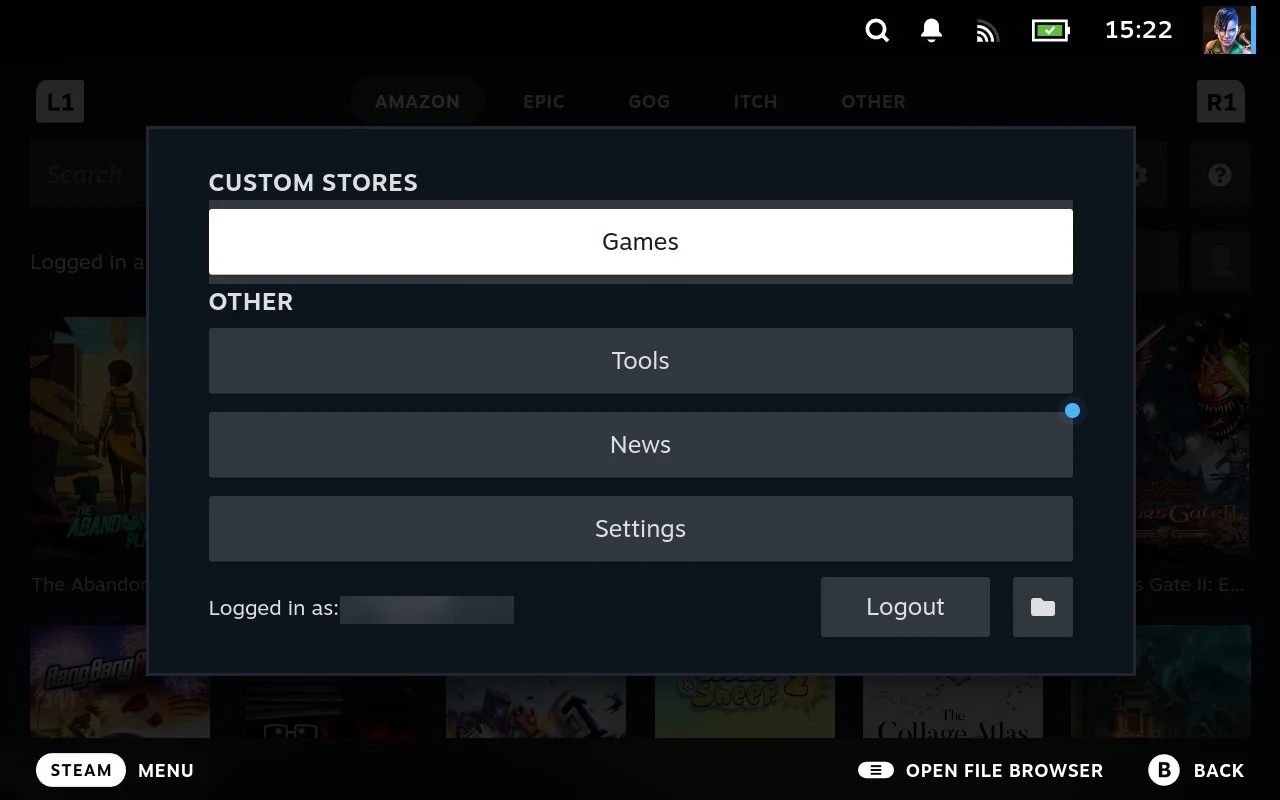
“It’s just a launcher”
That one comes up a lot. So does “isn’t it just a plugin”. I’ve stopped arguing about it, because the manual does the job better than I can.
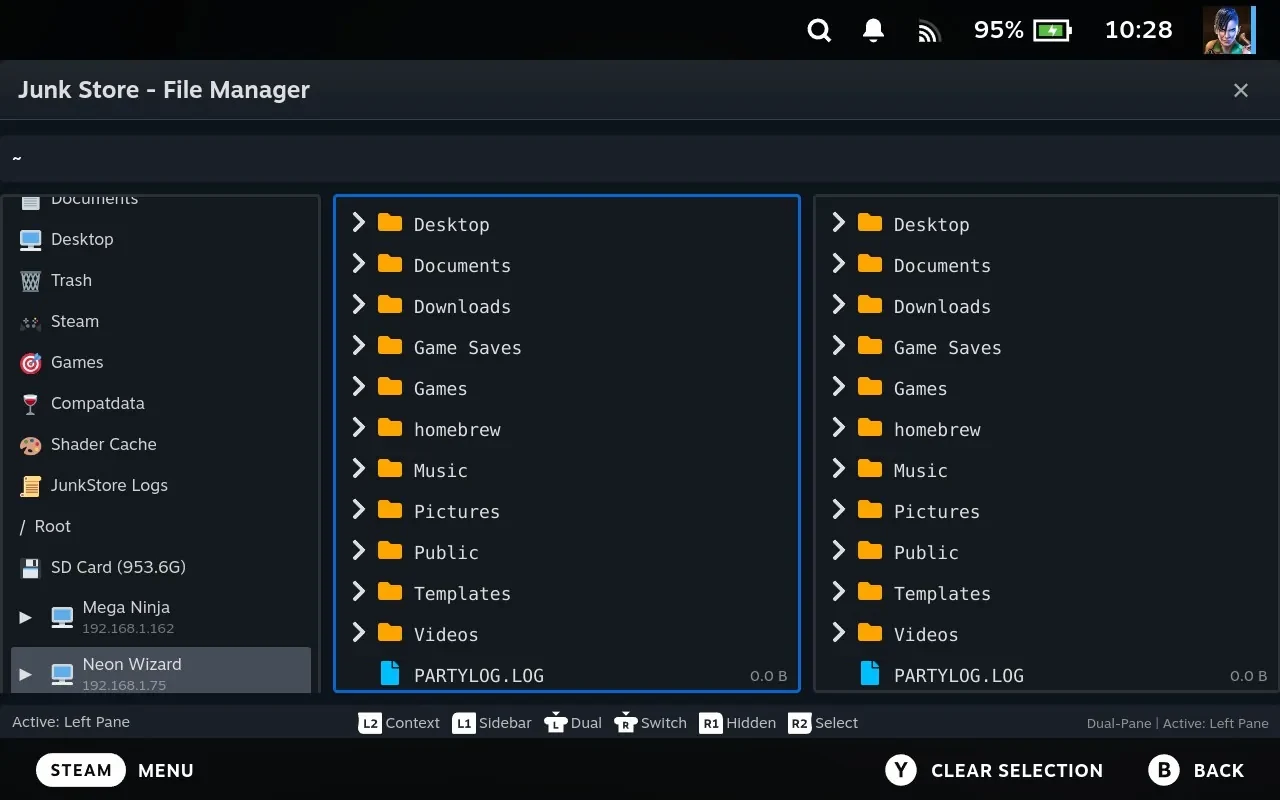
Writing it was a decent reminder of how far past that it’s gone. There’s a dual pane file manager in there with archive support. You can reach another machine on your network over SSH and pull a game across rather than downloading it again. There are viewers for reading files on the device, a disk analyser, a process monitor, DOSBox imports, artwork handling, and a download queue you can reorder while it’s running.
None of that is new. It shipped. What’s new is that you can now find out it exists without stumbling into it by accident, which is roughly how everyone has been discovering things up to now.
Where to start
Don’t read it front to back. It’s a reference, and each page stands on its own.
- How Junk Store Pro is put together is the one to read first if you want the shape of the thing. It explains the layers, and why there’s usually another way to try something when the obvious way fails.
- The main menu starts the run of pages on day to day use: tabs, grids, game pages, settings, downloads.
- The File Manager is where it gets interesting. It’s the most capable part of Junk Store Pro and the least obvious, so it has a few pages to itself.
There’s a glossary as well, for when you hit a word that assumes you already know it.
This covers Junk Store Pro rather than the free Decky plugin. The two share a name and a good deal of behaviour, but they aren’t the same product, and a fair bit of what’s in the manual either works differently on the plugin or isn’t there at all.
It’s a work in progress
It should be accurate, but I make mistakes, and things move. It lives in the same git repo as the extension documentation, so issues and PRs are welcome. Better phrasing is genuinely welcome too, wherever I’ve explained something badly.
If you’ve been using Junk Store for a while, I’d have a skim of the File Manager pages. I’d bet on there being at least one thing in there you didn’t know was sitting on your Deck.
Code on!
Eben