Steam Deck Game Won't Launch? What a NIL Path Error Means
This week’s Pro tip: if you’ve ever had a game download, install, and then throw an error the moment you hit Play, this one’s for you.
I posted a full tutorial on how to fix games that present with this error after downloading. I hit it over the weekend while testing Hiveswap Friendsim, one of last week’s giveaways. The install ran through without a hiccup, and then this turned up instead of a game.
What the Error Looks Like
Unhandled exception in backend
Default pathname NIL is not an absolute pathname
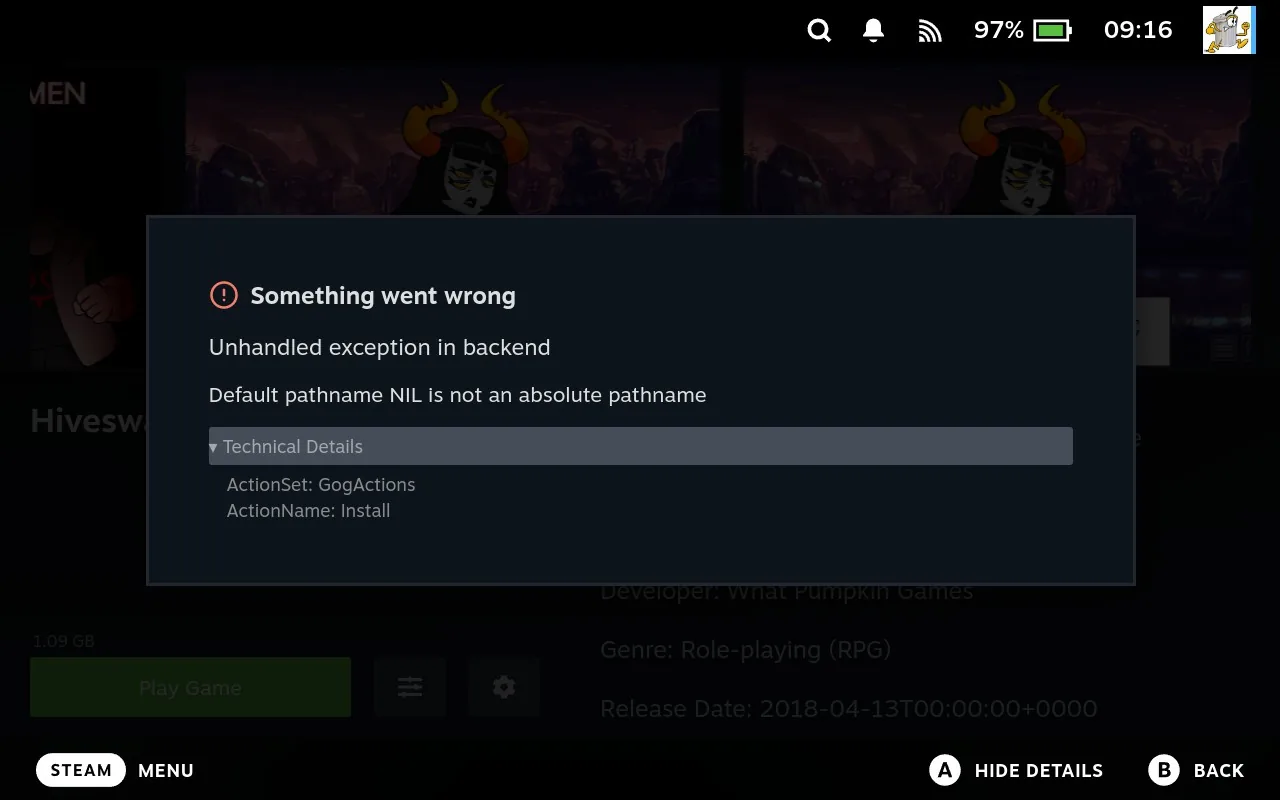
It reads like something has gone badly wrong, but the message is more literal than it looks. NIL is just an empty value, and the path it’s talking about is the game’s install folder. Junk Store is being asked to launch something and has nothing to launch it from.
That’s the whole problem. The game files are almost certainly sitting on your Deck exactly where they should be. Junk Store just doesn’t have a record of where they went or which file to run.
Try This First
Most of the time the automated tools sort it out on their own, so start there:
- Reset Launch Options, under sliders menu > Manage
- Verify game from the sliders menu
- Repair game from the sliders menu
- Reinstall the game
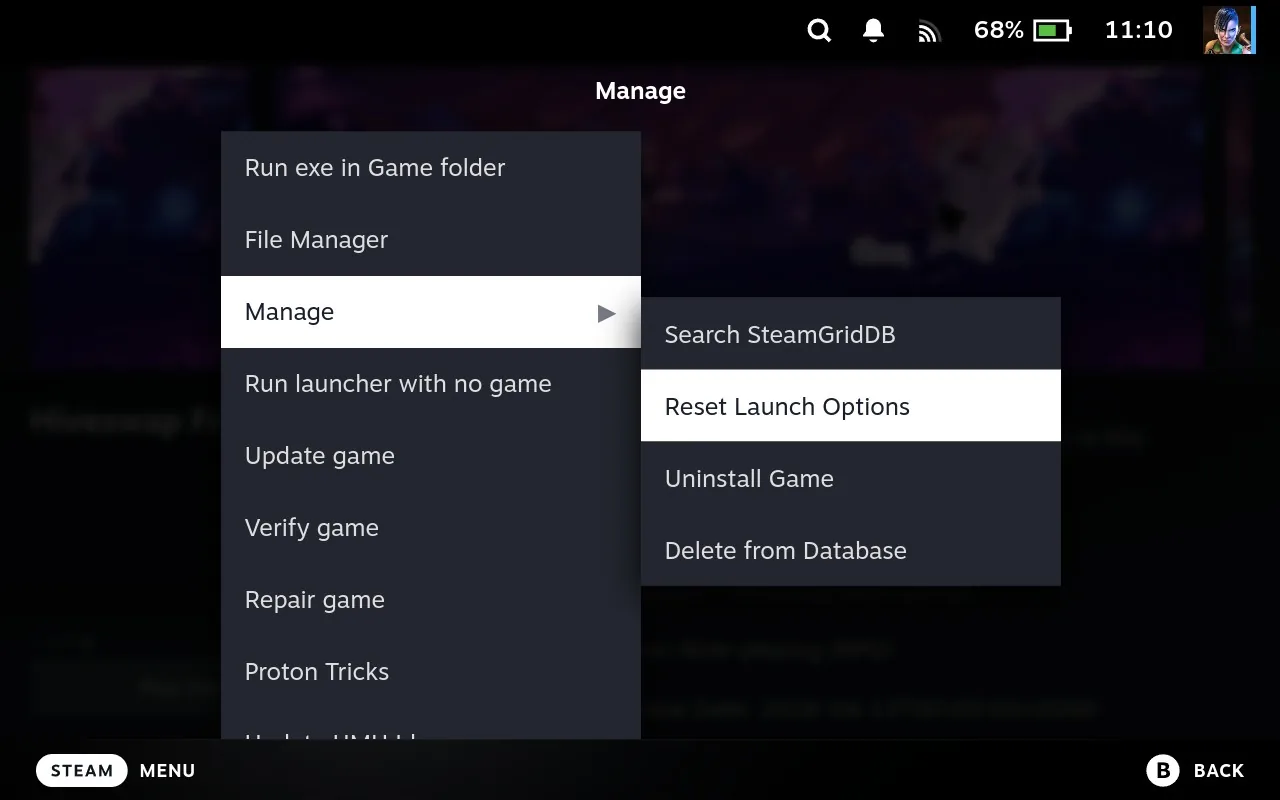
Reset Launch Options is the quickest of the four, so it’s worth being your first move. It puts the game’s configuration back to default, and quite often that’s enough to get the install folder recorded properly.
Work down the list from there. Between them, those four clear this error the vast majority of the time.
When None of Them Work
Every so often you’ll get one that shrugs off all four, which is what happened to me. At that point the automation isn’t getting there, and you have to give Junk Store the two things it’s missing: where the game is installed, and which executable to run.
Both of those you can set yourself, and both of them you can do from game mode. Junk Store Pro’s File Manager will let you browse to the game folder, open up the info file the storefront leaves behind, and read off the exact executable the game is supposed to launch. No guessing which of the dozen .exe files in there is the real one, and no dropping into Desktop Mode to go looking.
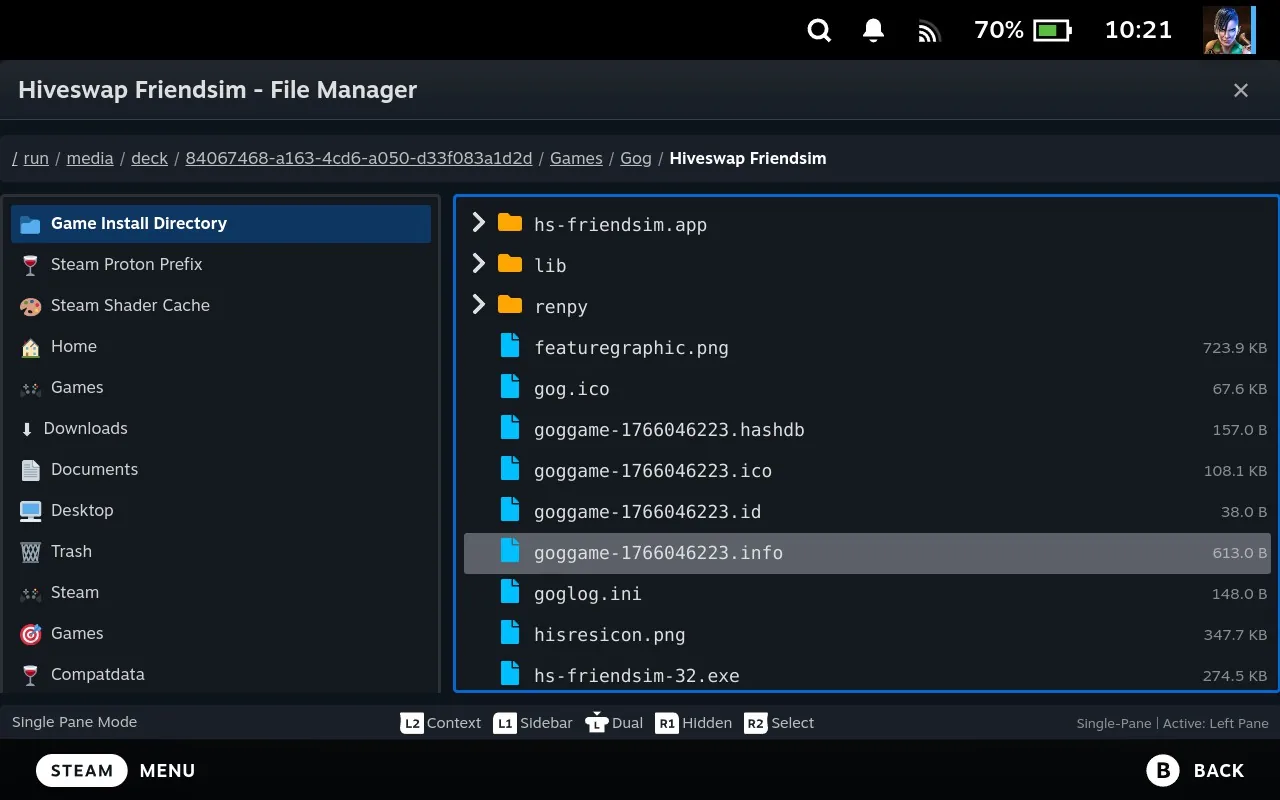
It’s one of those tools that quietly solves a lot of problems, and I don’t think enough people know it’s sitting there in the sliders menu.
The Full Walkthrough
I wrote the whole thing up while it was fresh: How to Fix the NIL Path Error When a Game Won’t Launch.
It covers setting the install path, finding the right executable in the info file, saving it so the Play button uses it every time, and forcing a compatibility tool afterwards, since a game that never registered properly won’t have one set either. There’s a screenshot for every step.
Worth a bookmark even if everything’s running fine for you right now. It’s the sort of error that turns up out of nowhere on one game and never bothers you again.
Have questions about this tip? Join our community on Discord, Reddit or Lemmy!
Cheers,
Annie & Eben | The Junk Store Team