Dev Update: Portal Support Tickets, Log Uploads, and Rock-Solid Through Steam Updates
G’day,
It’s been a long road to get here, but all the pieces are now in place. With this update we’ve completed the suite of tools we need to be fully independent from other platforms. We have our own support system, our own log handling, and a public accountability tracker for the thing every Decky user dreads: Steam updates breaking everything.
Let’s start with that last one, because it matters the most.
Another Steam update, still rock solid
We’ve briefly mentioned our status page before. It tracks Steam updates breaking Junk Store. If you’re a Decky user, you know exactly what this issue is.
So far we’ve had zero breakages due to Steam updates, including the most recent one that caused Decky users a bit of pain. We check with every beta and stable release and update the tracker as needed.
This is a public accountability system. Don’t take our word for it, look at the history. Over time we hope it’ll prove that Junk Store survives Steam updates without constant developer intervention.
A real support system, built into the portal
Providing online support for Junk Store has always been a bit piecemeal. We now have an online support ticketing system built right into the portal.
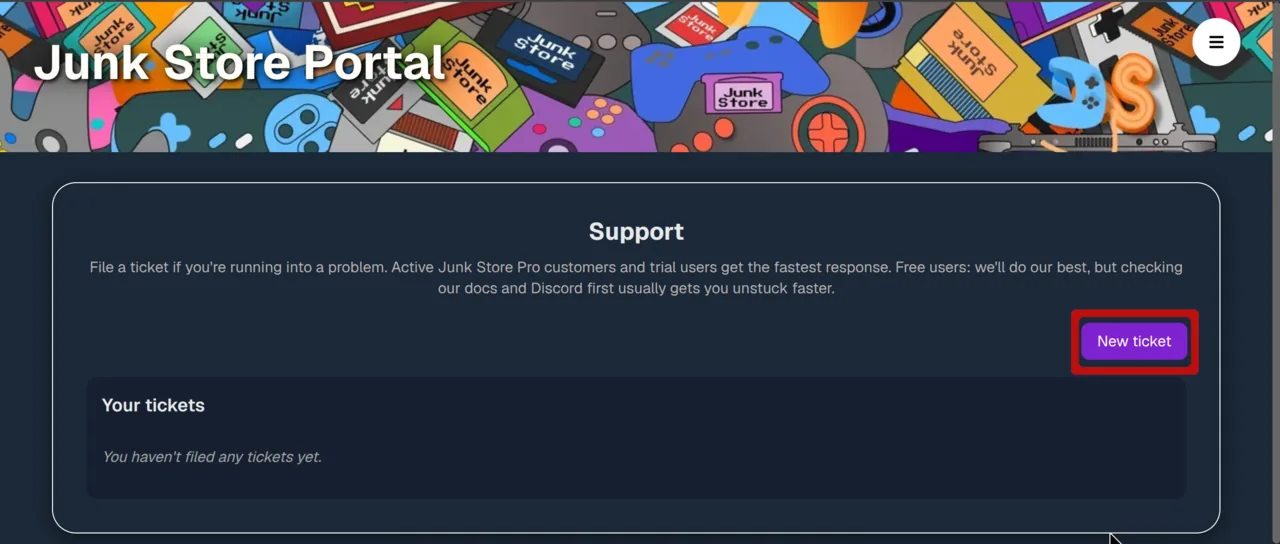
It’s quite basic right now, and it’s geared specifically towards supporting Junk Store Pro. As its capabilities grow, we’ll be migrating our support from Reddit and Discord over to the new system. With all the noise on those platforms, we know a lot of you would rather not need them to get help.
If you’re a Decky user, you’re welcome to sign up to the portal and log tickets too. Paid customers get priority, but as we always have, we offer support to all of our users regardless.
One important thing to set expectations: this is not a game support system. Issues with specific games still need to be posted to Discord and Reddit. If we deem the issue to be Junk Store related, we’ll direct you to open a ticket. The test to apply: if it’s something you’d want to post to GitHub, we want to know about it.
To get started, you’ll need a portal account. If you’re a Junk Store Pro or v1 GOG user, you already have one. From there, navigate to the support page from the hamburger menu and file a ticket.
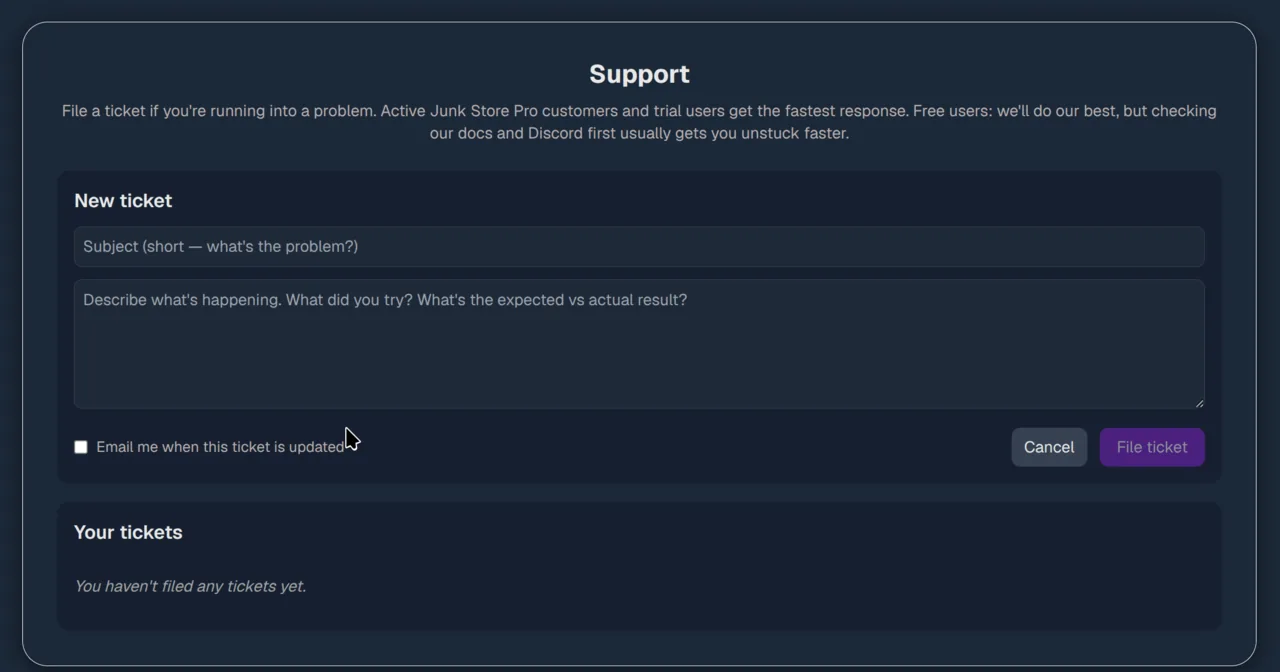
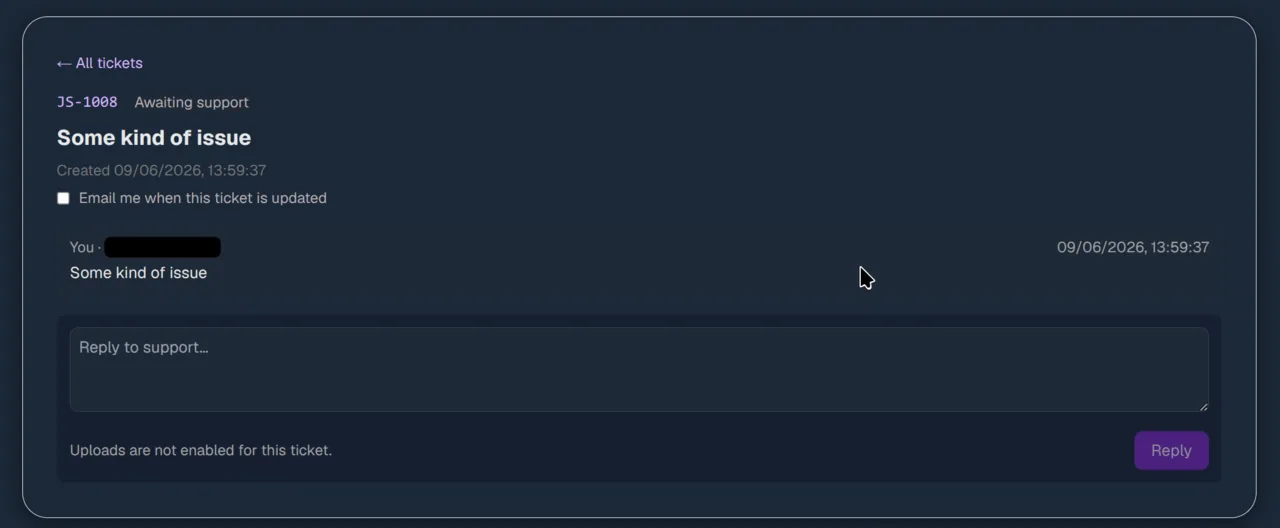
We’re a two person team in New Zealand, so please be patient with us if we don’t respond immediately. We might be asleep.
Attaching logs straight from the File Manager
Junk Store Pro (currently beta channel only) now supports attaching logs directly to your tickets from the Junk Store File Manager. The handful of users we’ve tested this with so far found it much easier than manually sending logs.
Here’s how it works:
- We enable uploads from our end on your ticket first. Nothing can be uploaded until we do this. This is not an automated system, and nothing happens without your express permission.
- Open the File Manager and find the new JunkStore logs shortcut in the sidebar (hold select+X to open).
- Left-trigger on any file (10 MB upload limit) and select upload to the portal.
- If your ticket has file upload enabled, it’ll go straight up, after you confirm upload.
On the privacy side: logs are stored in an encrypted store, we don’t log out any sensitive information, and logs are deleted after 30 days.
Wrapping up
This system is still pretty hot off the press, so we’ll be ironing out the kinks as we go. But it completes the picture. It’s been a long road, and all the pieces are finally in place.
While we don’t enjoy surprises with our software, we’re always happy when a user gets the solution to their problem. We look forward to helping you.
For game-specific issues, feedback, or just a chat, you'll still find us on Discord, Reddit or Lemmy.
Game on,
Eben