Dev Update: Network Game Imports, Native Storefront Clients, and a Public Stability Tracker
G’day,
It’s been a while since I posted a dev update, I generally just get on with it. But there’s enough new ground covered since the v3 release that I thought some of you would want a peek behind the curtain.
Since Junk Store Pro v3 shipped I’ve been flat out filling the R&D pipeline back up, the release emptied it. Something we didn’t really highlight at launch: v3 ships with new Amazon, Epic, and GOG clients. They’re not exciting on their own, but they’re the foundation for a bunch of features that were tough to get to before.
Multi-account profile switching
One I’m pretty pleased with is profile switching. If you share a Steam Deck with kids, you can now keep separate logins for online games where you don’t want them, ahem, experimenting with your gaming profile.
With the new clients you can log in with multiple accounts on every extension and switch between them.
It’s a little half-baked at the moment: all games go into the same database, so you won’t immediately see who owns what, but the core flow works.
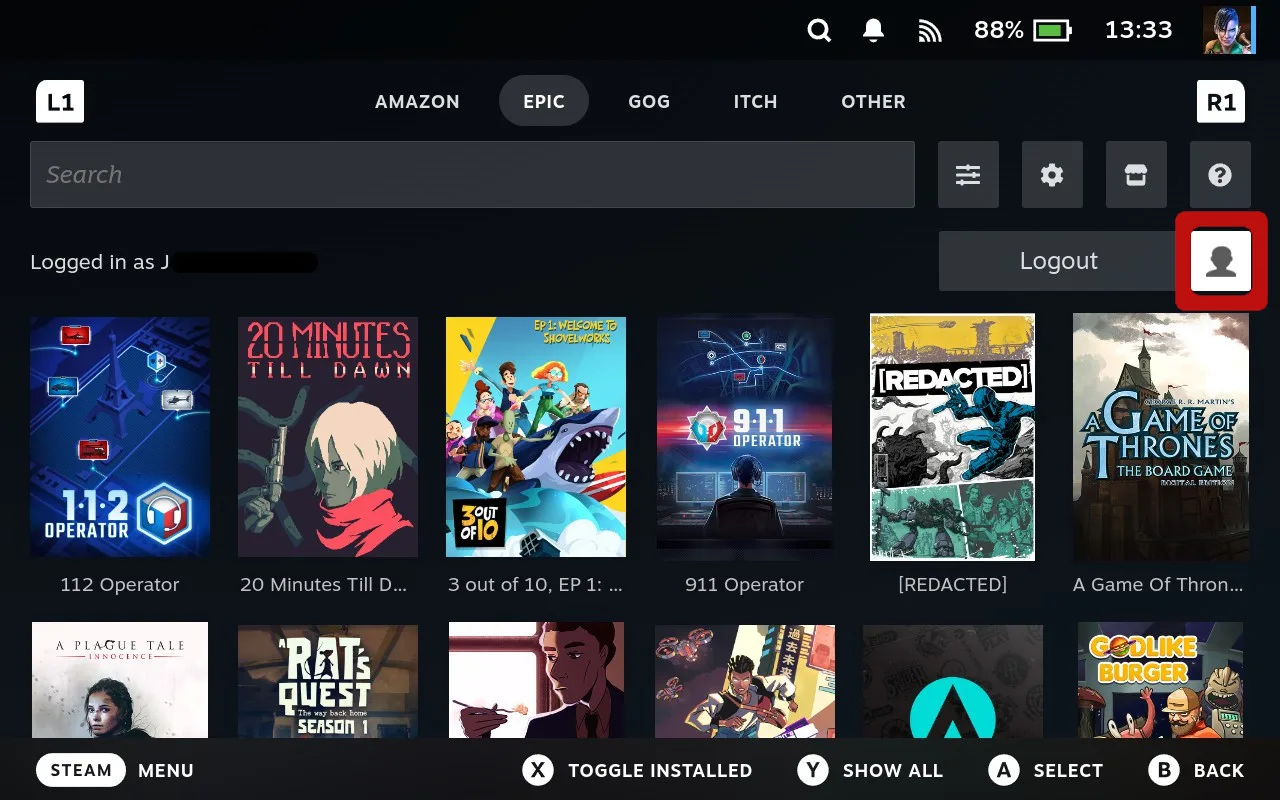
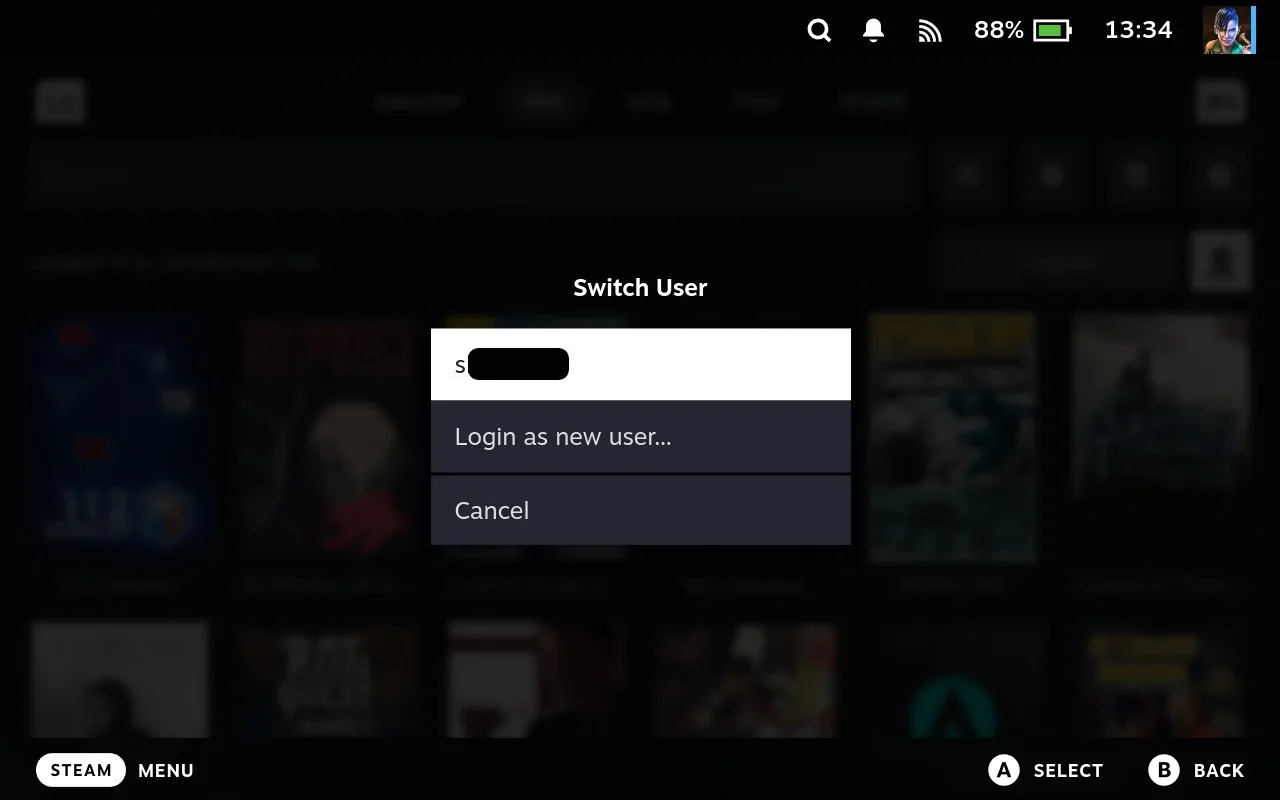
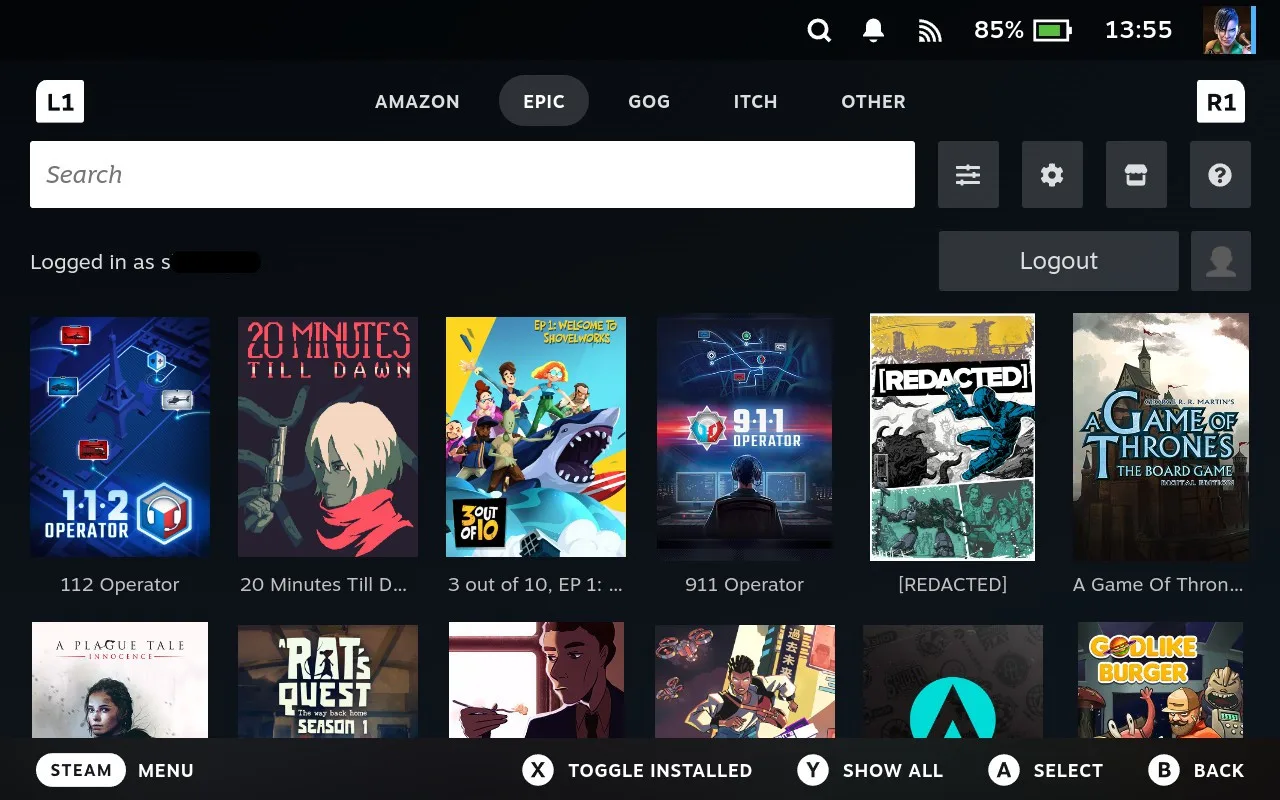
Annie and I built this because we have separate accounts with different games for testing. Turned out useful well beyond that.
GOG Linux builds
The new GOG client supports Linux builds, but support is hit-and-miss right now: some run fine, some don’t launch at all. I’m working through the failure modes.
For now, if a Linux build doesn’t work, the Windows build via Proton is your best bet.
Turning the new clients on
The new clients aren’t the default yet (they’re still being battle-tested), but you can opt in:
- Open the cog menu on the tab and set the top dropdown to All.
-
In the Advanced section, find the “Use legacy clients” toggle and disable it. Save.


- On the sliders menu, click “Clear cache” and navigate to another tab and back.
- You’ll now see a profile icon next to the login/logout button.
Heads up: these clients are newer and not yet as battle-hardened as the Flatpaks. Please report any bugs and expect things to misbehave occasionally. Once they’re stable enough they’ll become the default.
Network game imports
Important: This does not circumvent DRM. It pulls game files from another source on your local network, then continues the normal install. You still need to own the games to play them. Full stop.
With that out of the way: the networking framework let me build a feature Annie and I have wanted since the first release of Junk Store. The ability to import games over the network from other Steam Decks.
How to use it
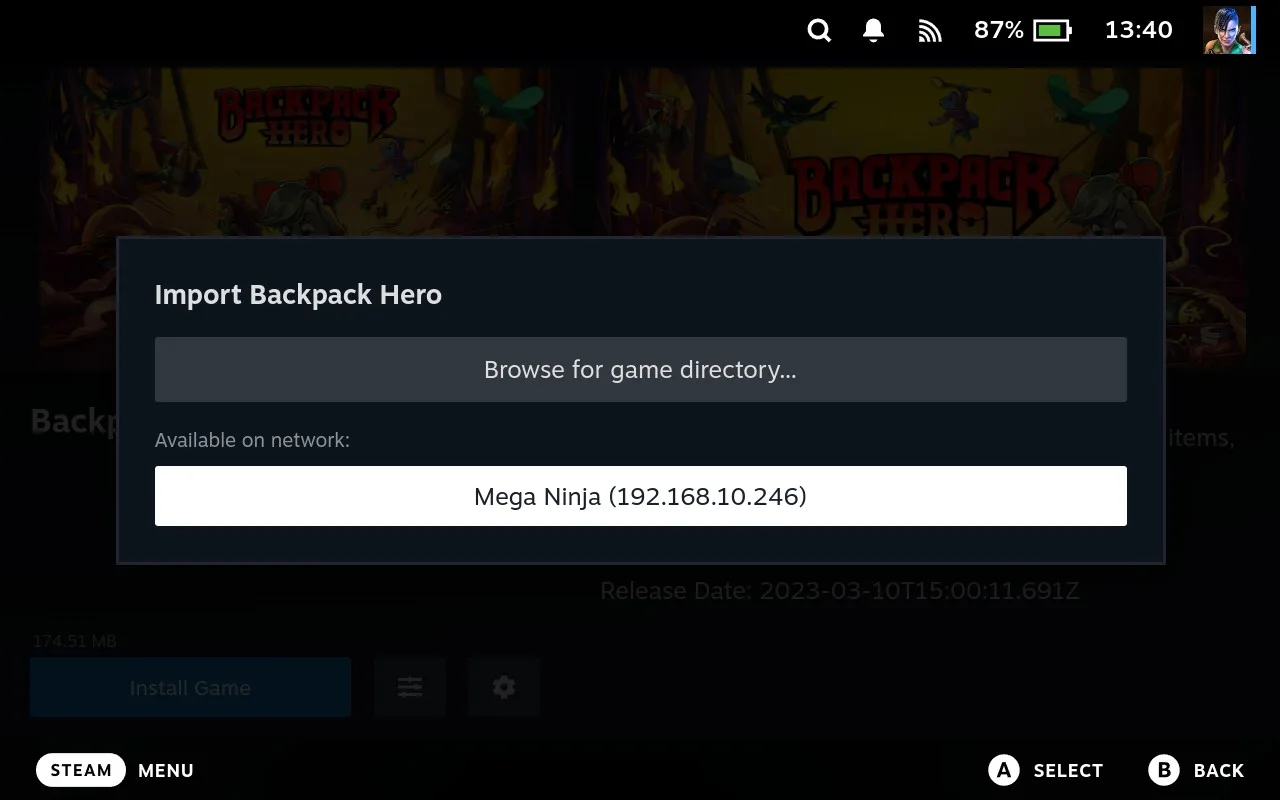
- When you go to install a game, press X instead of A on the install button.
-
A modal opens that lets you browse for a game or scan the network for other Junk Store-enabled machines.
-
If any of those machines have the game and you’ve got a valid SSH key for that machine on your Deck, you can select it and rsync the files over SSH.
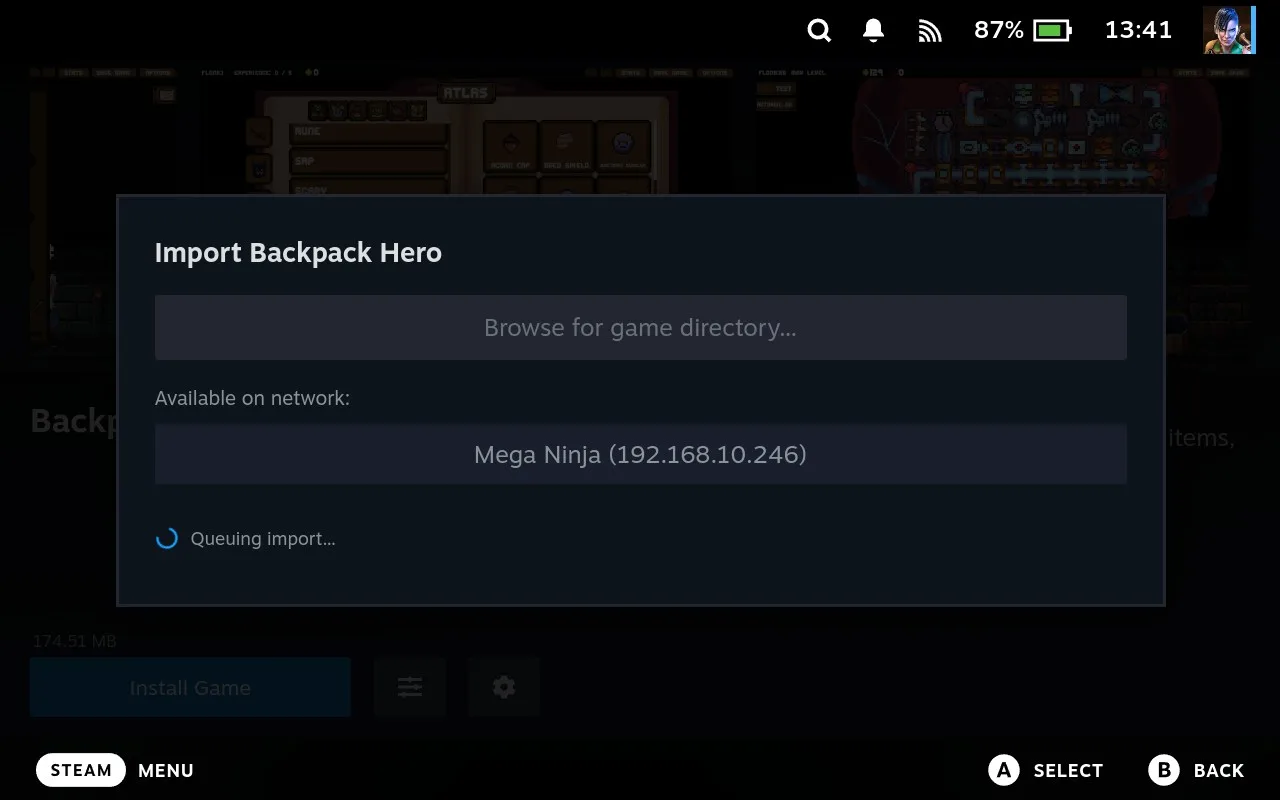
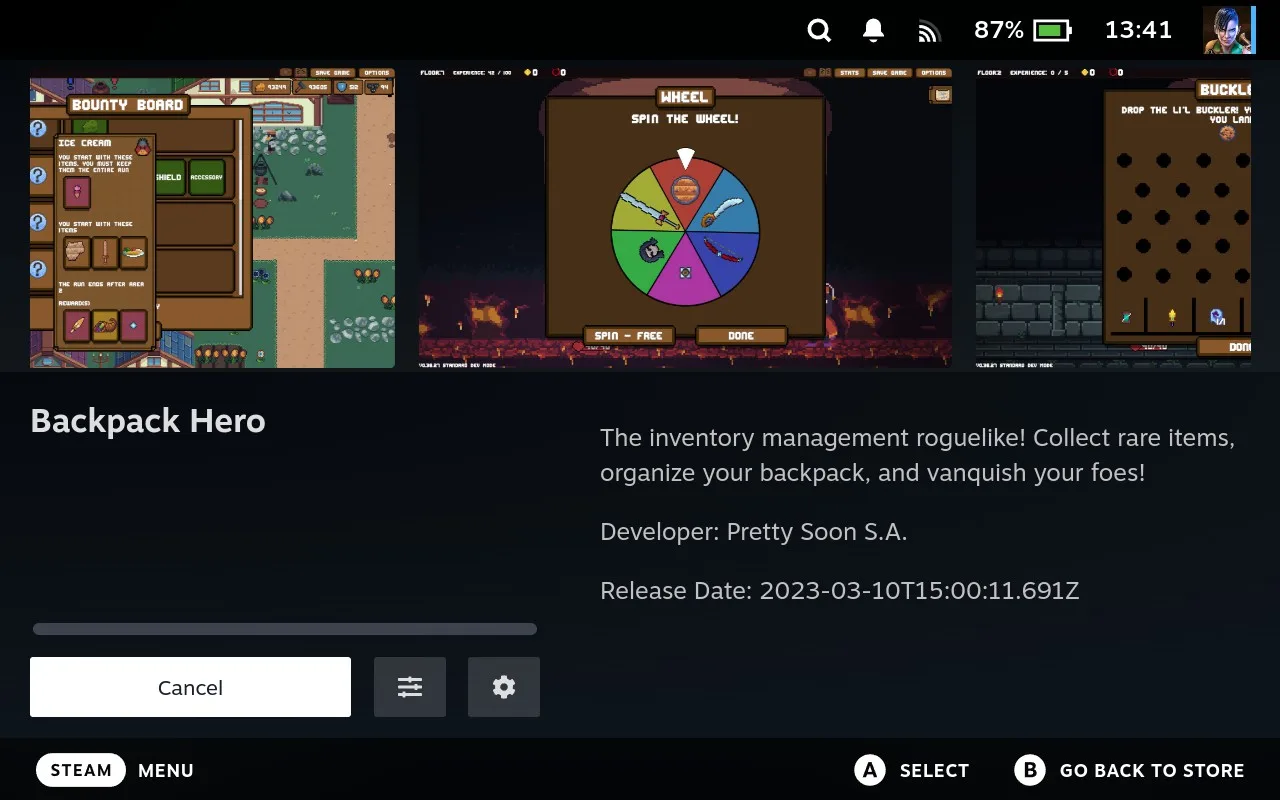
The main reason we built this: slow internet and capped data. We live on a sailboat and our connection is slow, so this saves us tons of time when testing the same game on multiple Decks or different versions.
Use the file picker instead
You can also use the file picker to find a directory on the Deck itself or on any network machine available in the sidebar. The system is flexible, so there are likely some edge cases I’ve missed and I’d love to hear about any sneaky gremlins hiding in there.
Six months without a Steam update breaking us
Junk Store Pro now has its own UI and navigation stack. In practical terms, that means it doesn’t rely on Steam’s UI components anymore.
This was a huge piece of work, but I’m sure it’ll pay dividends when Valve makes one of those quiet refactors that takes Decky and other plugins offline. We’ve all been there. It’s not fun for devs or users.
I’ve been running the new stack internally for 6+ months without a single Steam client update breaking it.
The problem with that claim is you only have my word to go on. So we put a public live tracker on the website that records every Steam client update and whether it broke us:
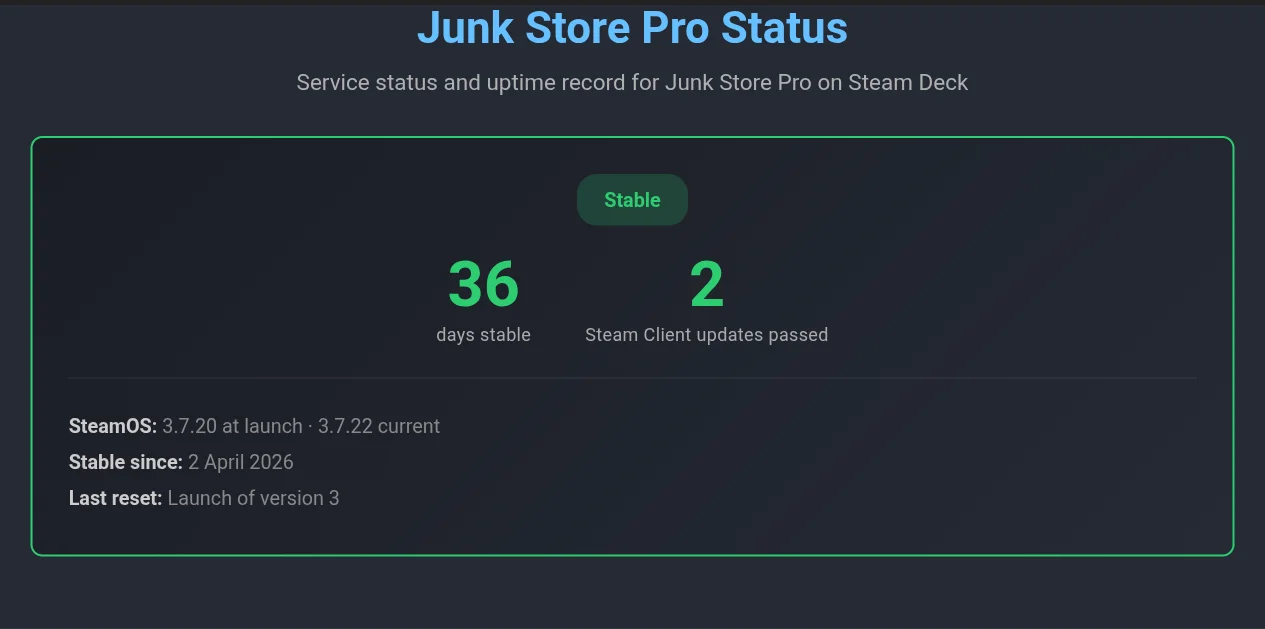
Now there’s a publicly verifiable track record so you don’t have to take my word for it.
These are big, mostly-invisible changes. The bottom line: we now own almost every piece of code in this loop. We understand it, and we can fix it more easily. The dependencies that can break are reduced to the storefront integration points and around 30 touch points on the Steam client. Practically, that means if you subscribe for a year, the build you have at the end of that year should keep working for a long time after. That’s the model we’re aiming for.
This was always the plan, but the work was big enough that I didn’t want to promise anything around it until I knew I could deliver. I can’t promise it’ll never break, but you’ve got a much longer runway now.
What’s next
There’s still a LOT of work to do.
- Networking features are still in their infancy. There’s a lot more to explore there.
- Cloud saves are on the radar. The File Manager was a stepping stone toward this. A few more pieces need to land before I can tackle saves in earnest.
- More store client support is something I’m working toward. In the meantime, you can use the file manager: right-click (or Left Trigger) any file and select “Add to Steam”. That lets you add any game or any launcher today.
Looking forward to getting back to deep work on the next round of features.
Thank you to everyone who has supported us so far. We genuinely would not be here without you.
The Decky version still works and I’ll push critical fixes when they’re needed, but active development is on Junk Store Pro now.
As always, if you hit any problems or want to share feedback, you can find us on Discord, Reddit or Lemmy
Game on,
Eben