A Proper Tour of Our Junk Store Tested Game Pages
Earlier this week I posted about the updates I’ve been steadily making to how we show what we’ve found testing games on Steam Deck. What started out as a basic searchable table progressed to one with modals containing testing info for each game, and now to what we have today: a full page per game packed with not only Junk Store compatibility and testing data but other useful bits collated into one place. This is the follow-up to that post, where I’ll walk you through the sections so you know what’s there.
Starting at the Top
 Banner art, title and a row of badges up top
Every page renders with the game’s banner art, its name, and a row of little badges. Most are self-explanatory - which store it’s from, when we last tested it, the age rating - but two are worth knowing about:
- Previously Free - this game has been given away at some point. Hover over the badge and it’ll tell you exactly when. Handy for spotting games you might already own without realising it.
- Community Tested - the testing data came from a community member rather than from us. Same table, same page, we just flag it so you know where it came from.
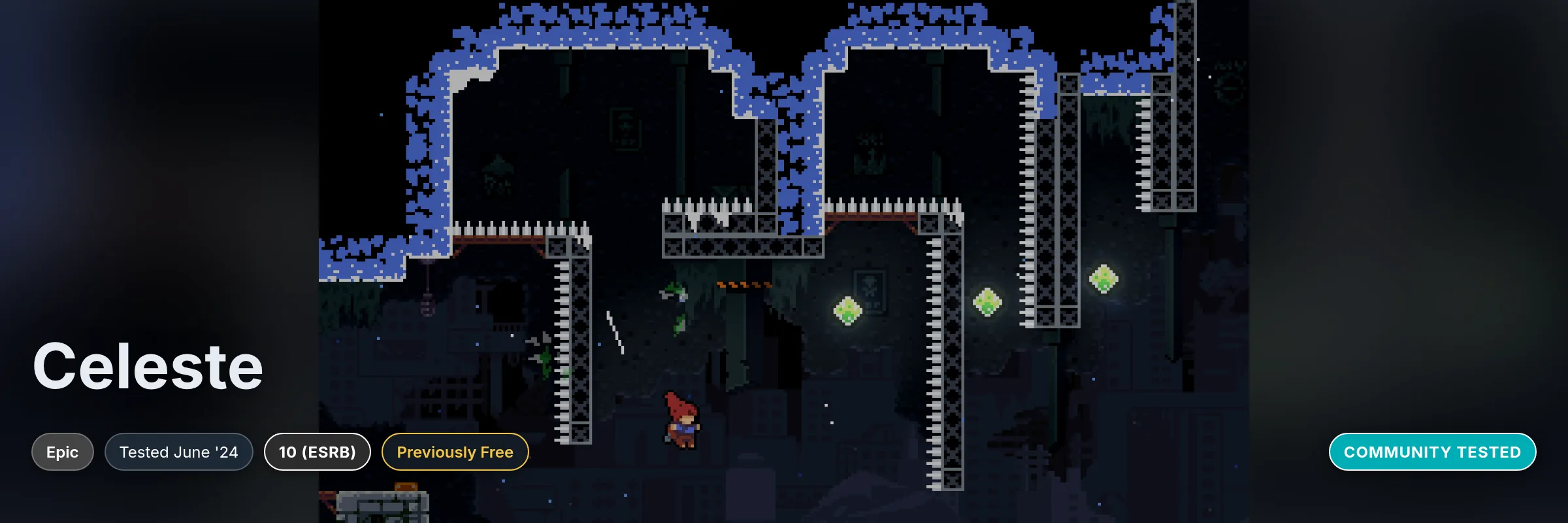 Both badges in the wild: Celeste was given away free and tested by the community
Junk Store Compatibility
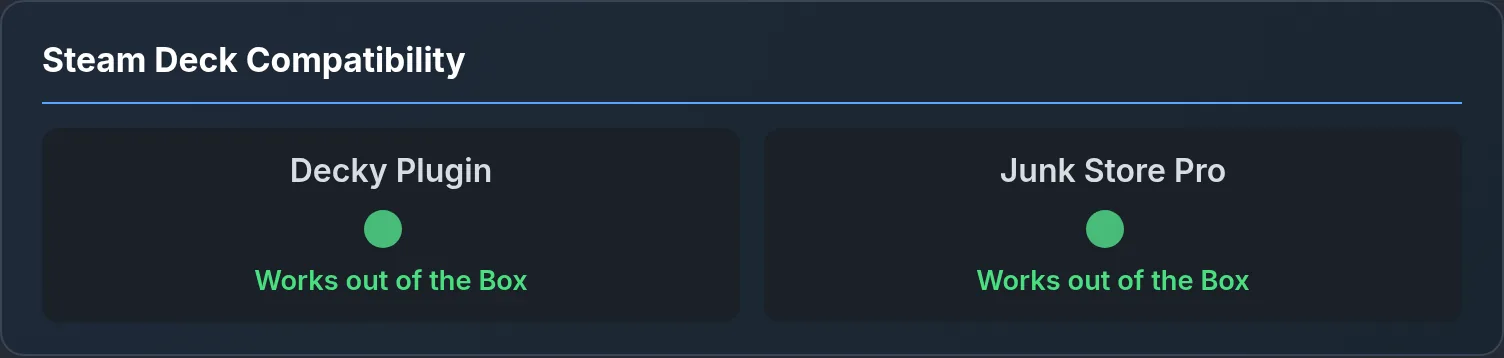 Two ratings side by side: the Decky plugin and Junk Store Pro
This card is the whole reason the pages exist, and it’s where things started: a simple compatibility rating for playing via Junk Store. Every game we test is run on both versions of Junk Store, the Decky plugin and Junk Store Pro, so you get two ratings side by side, one for each. Since Amazon and itch integrations are only available in Junk Store Pro, the plugin column says so rather than leaving you guessing. The same goes for DOS, ScummVM and Linux games; those are only supported through Junk Store Pro.
The colours work the way you’d hope: green means it works out of the box, yellow means it runs with some setup, and red means it took some advanced fiddling to get going.
When a game needed more than “works out of the box”, the setup notes live right here - what we changed, what to watch for, and occasionally a screenshot when the setup is easier shown than told. As you can see, The Witcher 3 works out of the box with no extra setup or tweaking needed, which is honestly the best kind of test result.
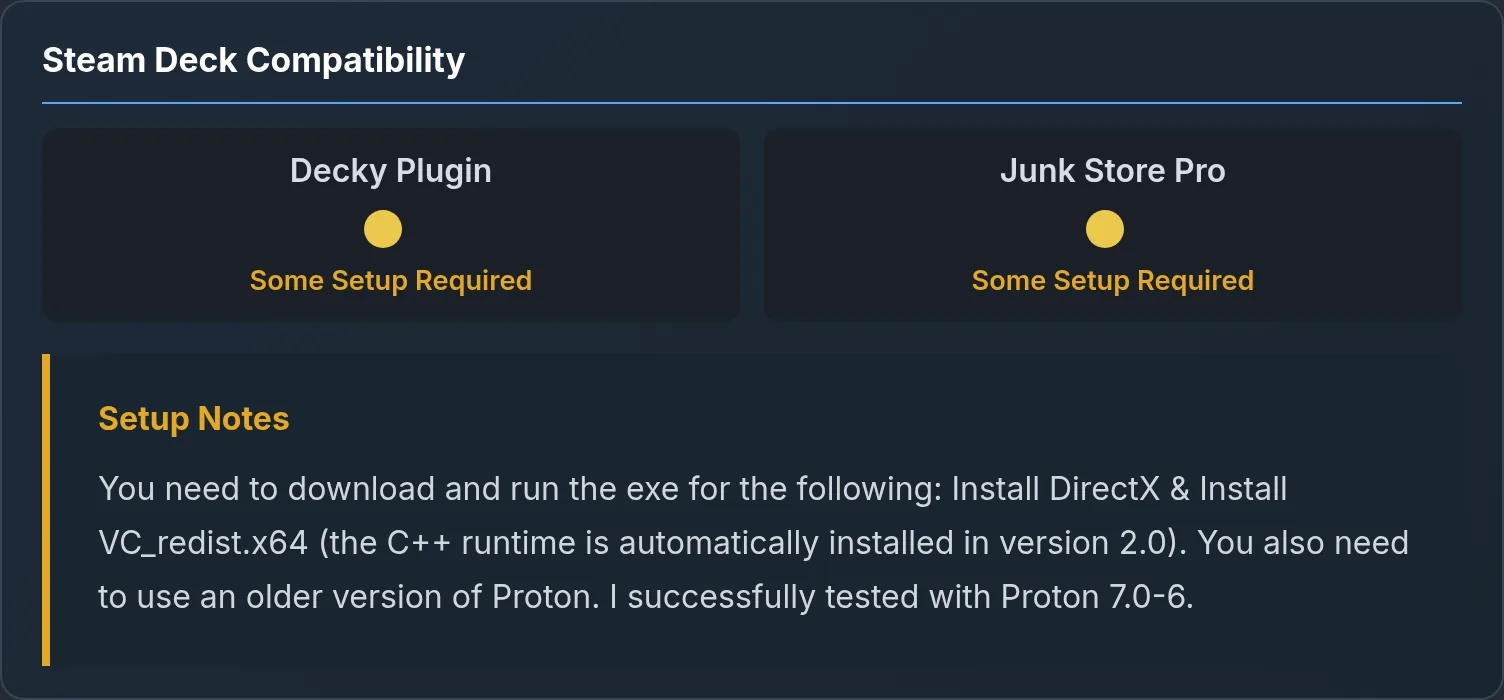 When a game needs a hand, the setup notes sit right under the ratings (Alan Wake shown)
Third Party Game Scores and Ratings
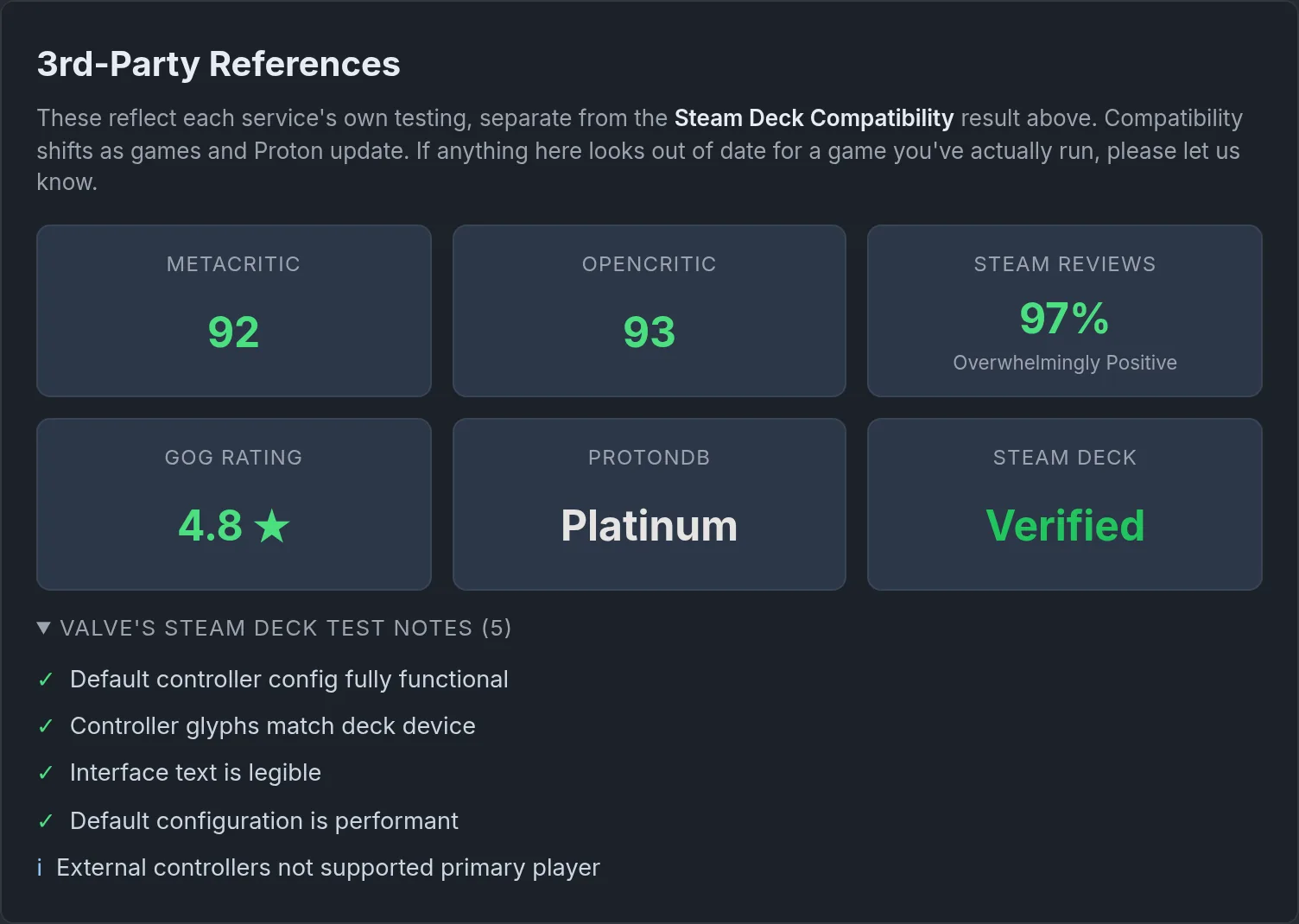 Review scores and compatibility ratings, with Valve’s own test notes expanded below
Below our results sits the 3rd-party references section, and it’s grown a fair bit. For review scores you get Metacritic and OpenCritic, plus the Steam user review percentage and, on GOG games, GOG’s own star rating. For compatibility there’s ProtonDB and Steam’s own Deck Verified rating. Hover over a tile for the detail behind it: ProtonDB tells you how many reports the rating is based on, and the Steam reviews tile carries the review count.
The Witcher 3 is an awesome game and it’s not surprising that it sweeps this whole section: 92 on Metacritic, 97% (Overwhelmingly Positive) across 877,000 Steam reviews, 4.8 stars on GOG, Platinum on ProtonDB and Verified from Steam. One thing to keep in mind though: these reflect each service’s own testing, not ours, and they don’t always agree with what we found. I’m sure you’ve had this experience, or seen someone asking about how or if a game runs; Steam or ProtonDB can be misleading, saying it’s unverified, unsupported or broken when it actually works fine. If that’s been our finding for a game, the tile gets a little note pointing you back up to our result.
And if you want to know why a game got its Deck Verified badge, there’s a dropdown with Valve’s own test notes: the individual checks they passed or flagged, like whether the on-screen text is legible or the default controls just work. Handy when you want to see what’s behind the badge rather than just take its word for it.
Technical Details
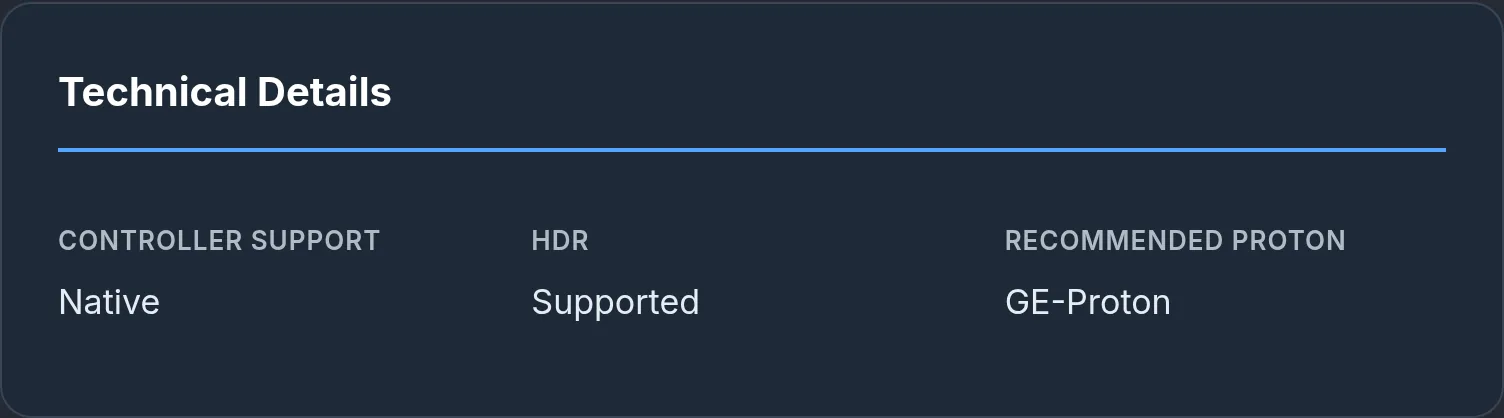 The technical grid, the stuff you want to know before you install
The technical details grid covers the questions that you may have before installing a game. Does it have controller support? What Proton version does it need to run? Does it have a launcher I need to download or an account I need to create to play it? To name the main ones.
When there’s more to say, free-text notes appear underneath - things like controller quirks, a custom executable to point at, extra dependencies, performance observations and known issues. I don’t do FPS counts or any tweaking like that (maybe one day). My aim is to test that the game launches and plays well without crashing. I’ll leave the performance tweaking to those who know better; that’s just outside my wheelhouse for now.
Store-specific extras show up here too: Epic games get a feature row showing achievements, cloud saves and offline play, and GOG games show only cloud save support.
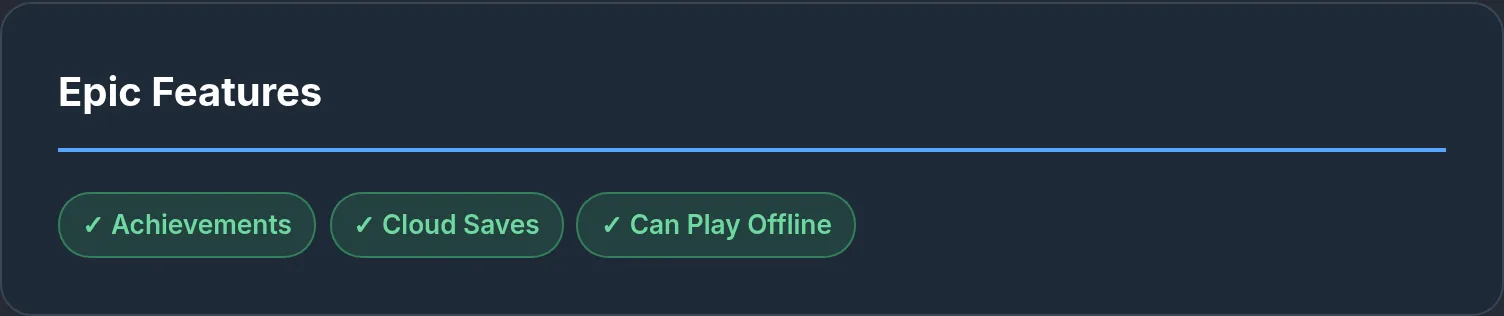 Epic games get a feature row like this (Alan Wake II shown)
Sidebar Info
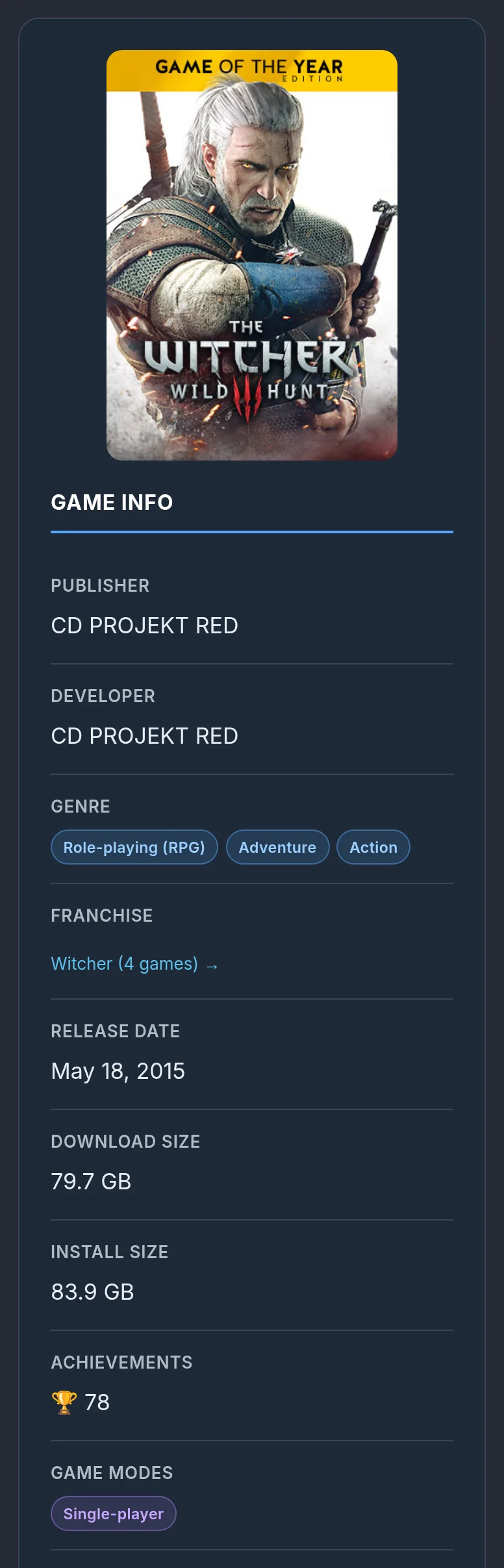
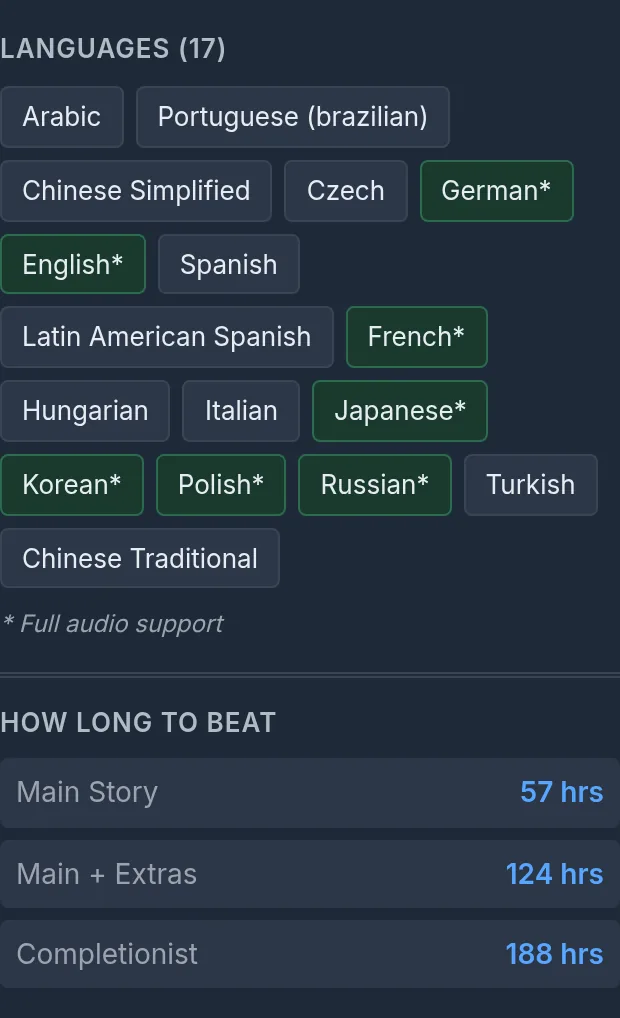
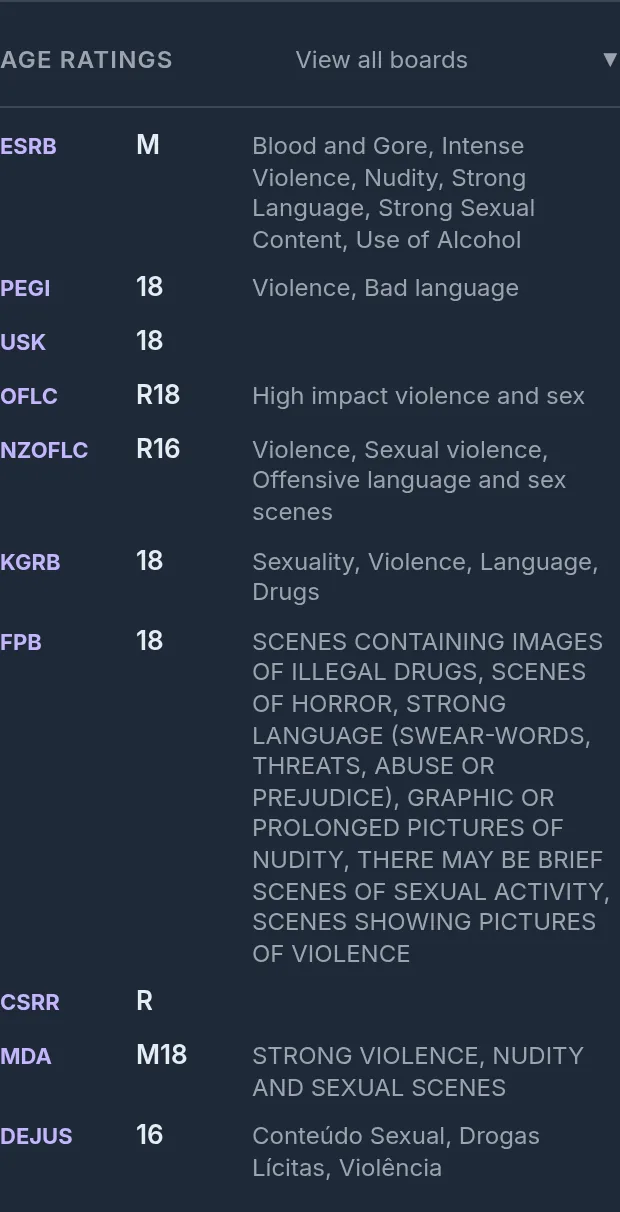
Down the side you’ll find the cover art and the quick facts: publisher, developer, genre, game modes, release date, etc.
- Download and install size - the download is what you’ll pull down, the install size is what it takes up once it’s unpacked. The Witcher 3 is around 80 GB to download and 84 GB installed, which is nice to know before you commit your SD card or SSD, especially on the big open-world games.
- Achievements - the total count, if the game tracks them. The Witcher 3 has 78 to chase.
- How Long to Beat - main story, main plus extras, and completionist times. The Witcher 3 runs 57 hours for the main story and a heroic 188 if you want to see everything.
- Languages - the full list, with a star marking the ones that have full audio support. The Witcher 3 lists 17 of them.
- Age ratings - the summary sits up in the banner, but expand this section and you get the individual ratings boards from around the world, descriptors and all.
- Franchise - if the game belongs to a series we’ve tested more of, this links straight to its franchise page.
Extra Bits
After the game’s description you’ll find the external resources: the game’s store page, PCGamingWiki, AreWeAntiCheat, HowLongToBeat, and where we’ve submitted one, our own ProtonDB report (like the one we filed for The Stone of Madness). If there’s no link or entry then it won’t be displayed, but I do keep refreshing the game’s metadata so when or if any extra info is ever added, it should get picked up.
 The external links, all in one place
I’m working on the related games section, but for now if the game is part of a series, you get cards for the other games we’ve tested from it. On The Witcher 3’s page that’s the first two Witcher games plus Thronebreaker, and the sidebar links through to the full Witcher franchise page with all four in one spot. Games without a series often show other tested games from the same developer instead. Either way, it’s a dangerously easy way to lose twenty minutes clicking from game to game.
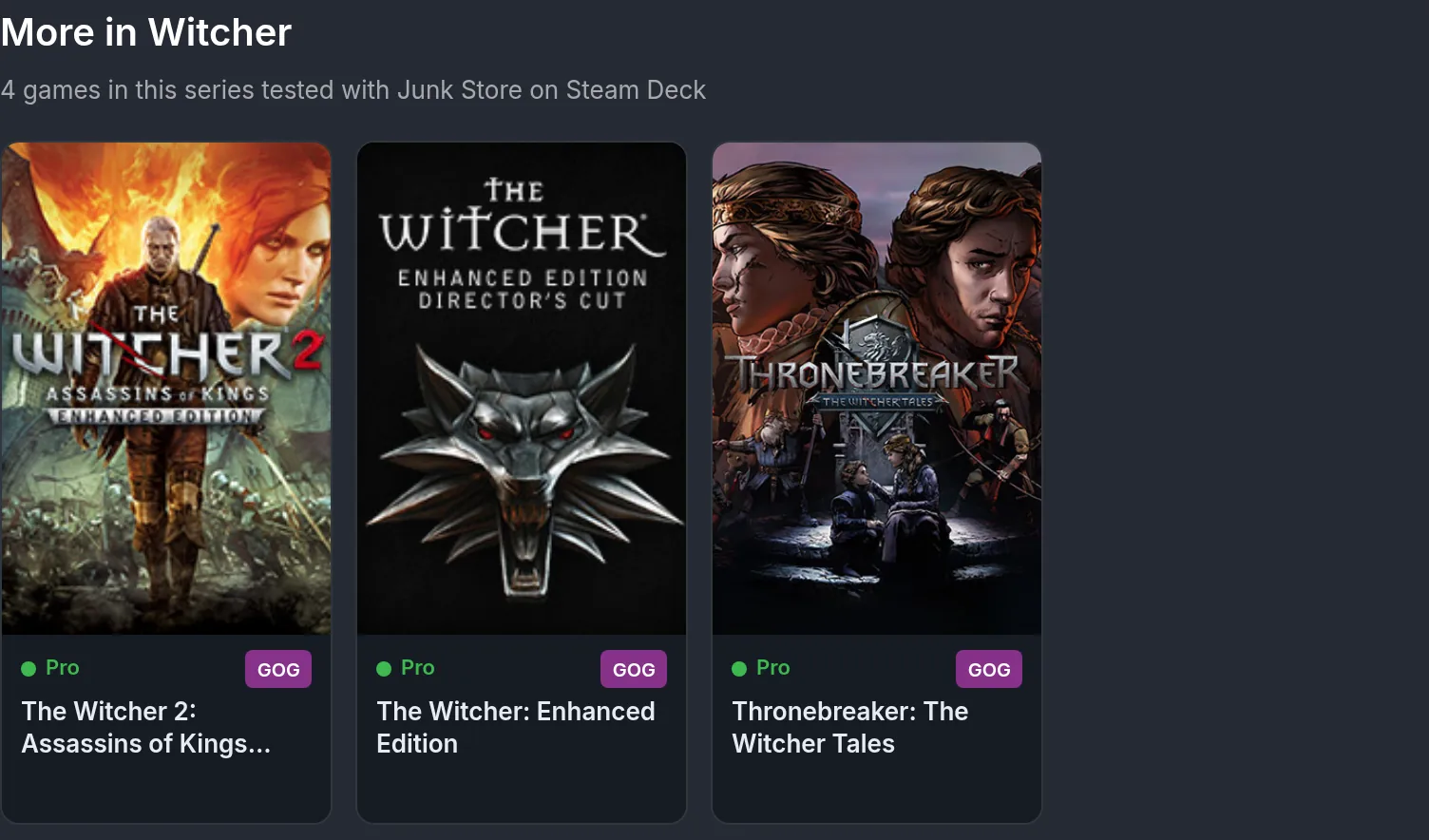 Other games in the series, right there to click through
That's Everything (For Now)
Every one of these pages has its own link, so next time someone asks “does X run on the Deck?”, send them the page and they get all of the above in one hit. Or if you just want to see whether we (or someone from the community) have tested a game via Junk Store, you can search it up on the table.
The usual reminders still apply: with over 1,000 pages this is a work in progress, so if you spot a broken link or info that looks off, give us a shout. And the list keeps growing - every weekly giveaway gets tested, plus I’m always working through our backlog and retesting games already on the list. If you’ve played something through Junk Store that isn’t on there yet, tell us how it went and we’ll add it.
Have questions about this tip? Join our community on Discord, Reddit or Lemmy!
Cheers,
Annie & Eben | The Junk Store Team