How to Enable LSFG Frame Generation
Boost frame rates with LSFG-VK (Lossless Scaling Frame Generation) using built-in Junk Store toggles
Boost your frame rates with LSFG-VK (Lossless Scaling Frame Generation) - built into Junk Store with simple toggles.
Requirements
Before you start, you'll need two things:
1. Lossless Scaling (Steam)
Purchase and install Lossless Scaling from Steam. Once installed:
- Right-click the app in Steam
- Select Properties
- Go to Betas
- Select Linux Beta from the dropdown
2. Install lsfg-vk
Run this command in Desktop Mode (Konsole):
curl -fsSL https://raw.githubusercontent.com/ebenbruyns/lsfg-vk-deck-installer/refs/heads/main/install.sh | bashOnce installed, Junk Store will automatically detect and use it.
How to Enable LSFG in Junk Store
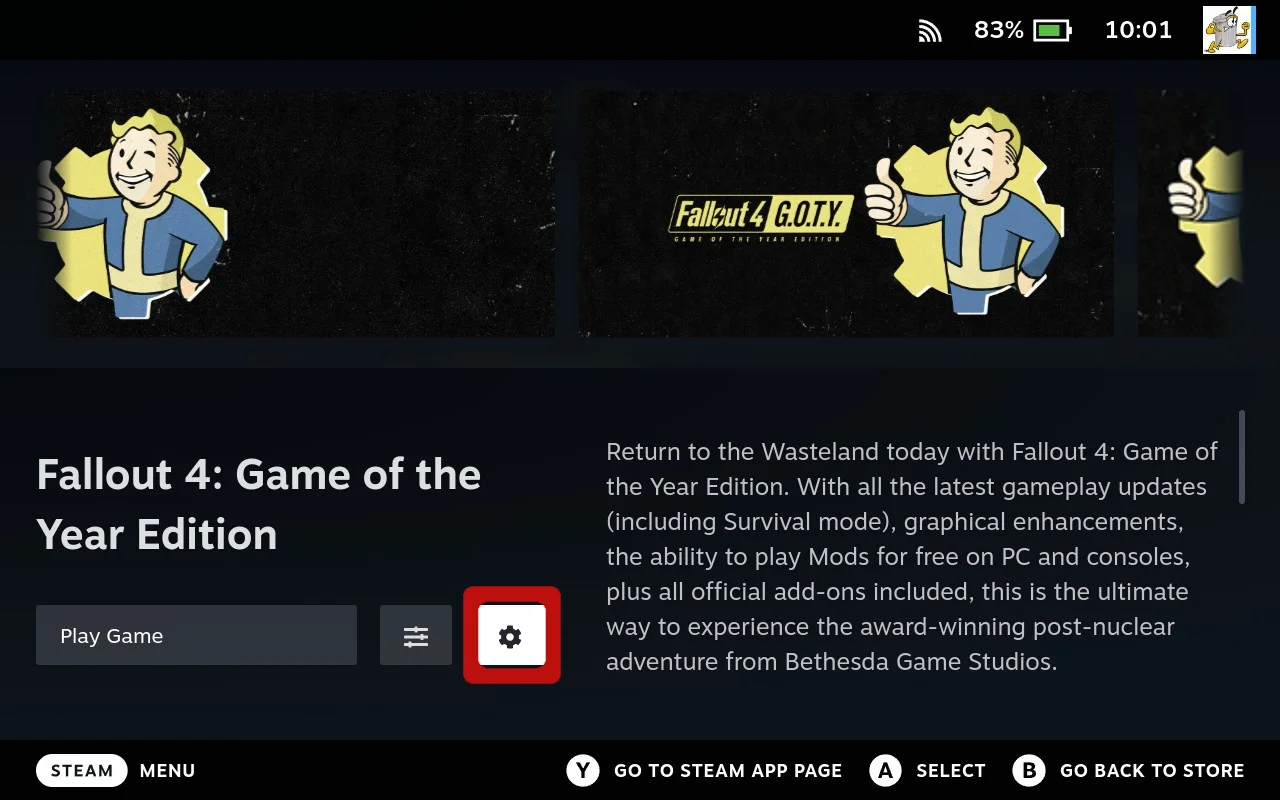
- Open Settings Menu
From the game page in Junk Store, click the Settings menu (cog icon).
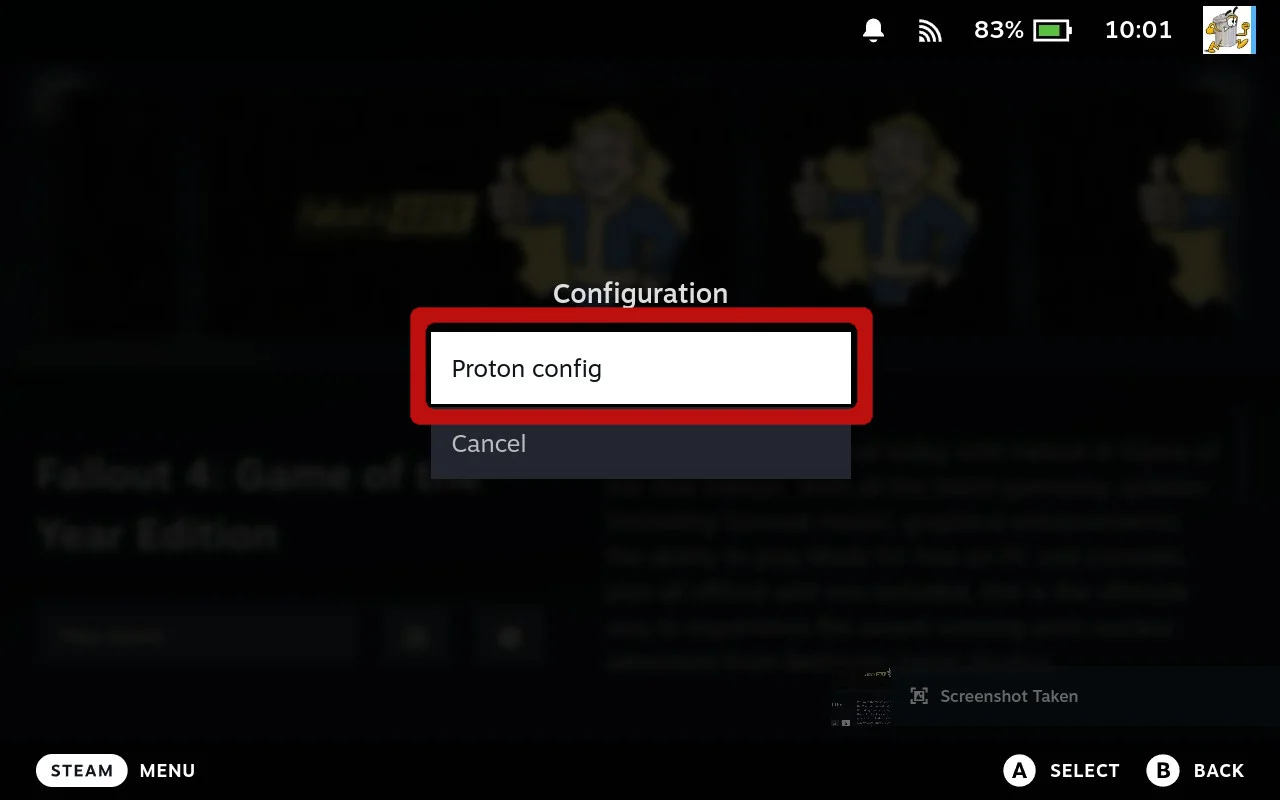
- Select Proton Configs
Select Proton Configs from the menu.
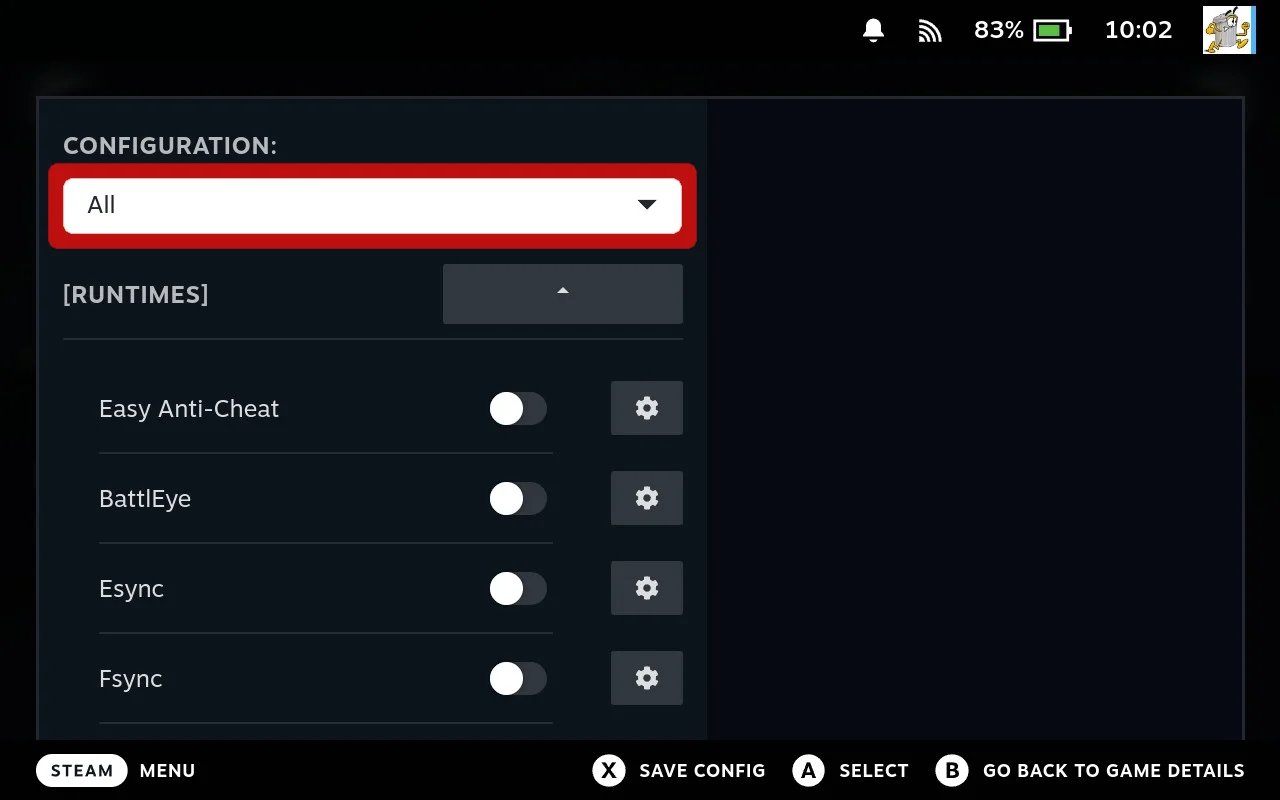
- Show All Options
Set the dropdown to All to reveal advanced options.
- Enable LSFG
Find the LSFG section and enable LSFG-VK. Tweak the settings if needed.
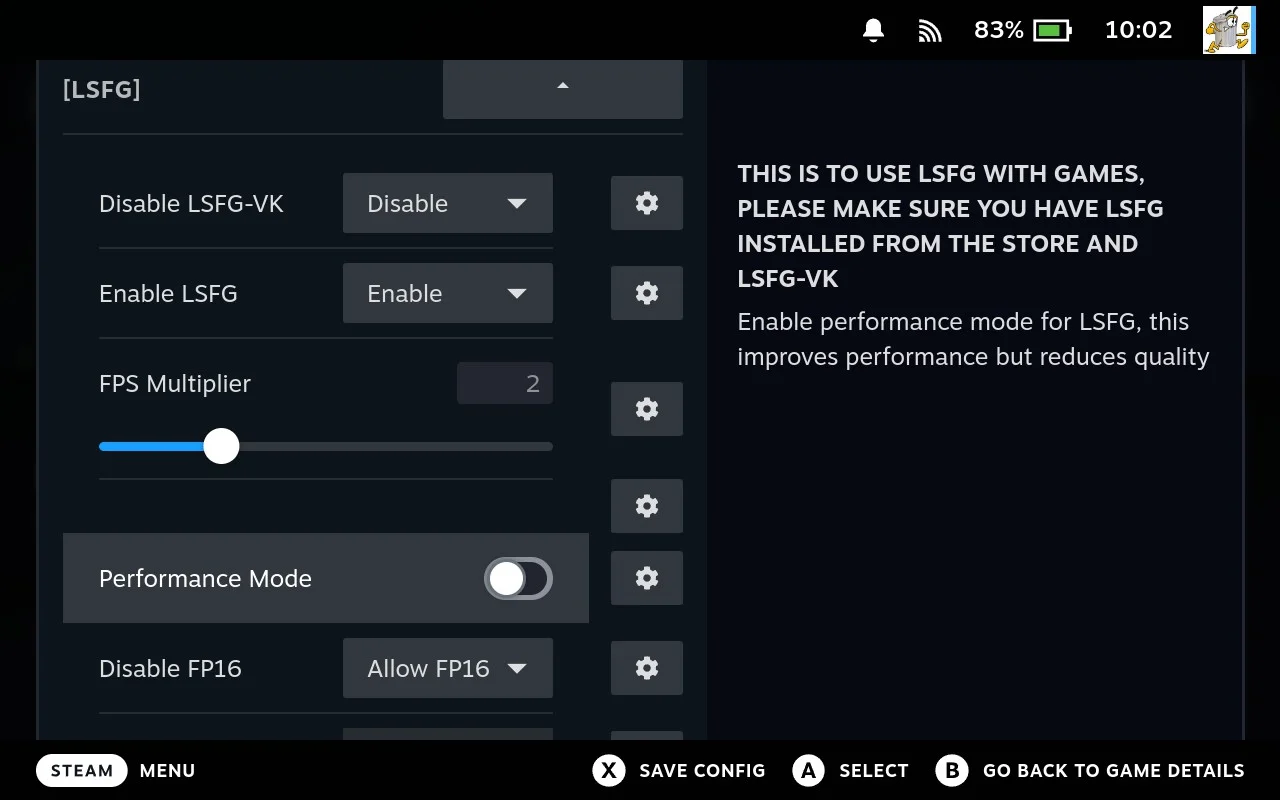 Important: Both LSFG settings need to say Enable for LSFG-VK to work.
 - Save Changes
Press X to save your changes!
Troubleshooting
- LSFG not working? Try a different Proton version. Some games work better with specific GE-Proton releases.
- Settings not saving? Make sure you press X to save before exiting.
More in the manual
The Junk Store Pro user manual covers the why behind these screens, if you want the detail rather than the steps.
- LSFG: frame generation - What LSFG does, and what has to be installed before it does anything
Stuck or need help?
Most issues are quick to sort out. Here's where to start.
- FAQ - General questions
- Troubleshooting - Common issues
Still stuck? Open a support ticket right in the Support Portal
For game-specific issues, feedback, or just a chat, you'll find us on: